
By 2026, WWE 2K23 is no longer the new kid in the ring—WWE 2K25 and the annual series' latest editions have taken the spotlight—but plenty of PC players still boot up 2K23 for its stacked roster, nostalgia, and the simple joy of sending a virtual superstar through a table. That loyalty is admirable; the crashing, less so. When WWE 2K23 throws a tantrum on Windows 11, it usually is not personal. The usual suspects are underwhelming hardware, overambitious graphics settings, background apps hogging memory, the wrong GPU getting picked, outdated drivers, Windows Game Mode sitting on the bench, overzealous security software, or corrupted game files. The fix is part detective work, part PC housekeeping, and—if the gaming gods are feeling generous—a little bit of luck.
First Bell: Check the Hardware Horsepower 🎮
Before players start fiddling with settings like a caffeinated referee, they need to confirm the PC can actually run the game. WWE 2K23 is not a featherweight. If the machine is below the minimum spec, no amount of tweaking will save the day; it is like asking a shopping cart to win a Formula 1 race. The minimum requirements are:
| Component | Minimum Requirement |
|---|---|
| OS | Windows 10 64-bit |
| CPU | Intel Core i5-3550 or AMD FX 8150 |
| RAM | 8 GB |
| GPU | GeForce GTX 1060 or Radeon RX 480 |
| DirectX | Version 12 |
| Storage | 80 GB free space |
In 2026, those numbers are ancient in PC terms, but they still matter. If the rig clears the bar, the next step is making the game stop biting off more than it can chew.
Turn Down the Bells and Whistles ⚙️
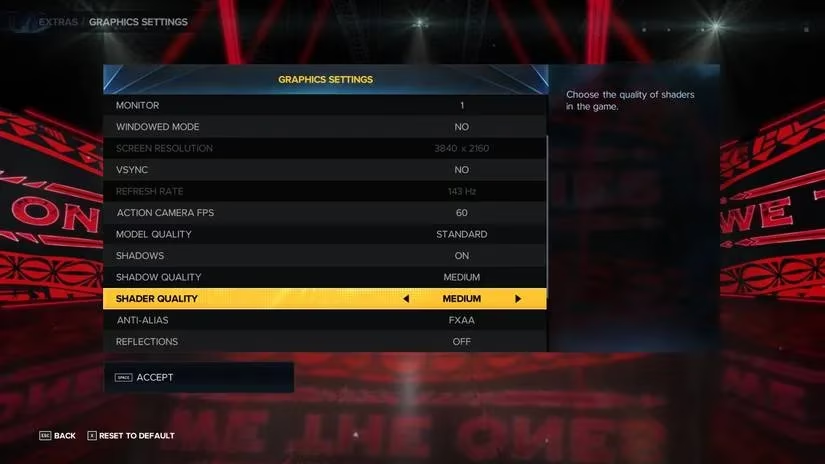
WWE 2K23 can look gorgeous, but beauty costs horsepower. Players who want fewer crashes and smoother frames should aim for function over fireworks. The following settings are the sensible ringside outfit:
| Setting | Recommended Value |
|---|---|
| Texture Quality | Standard |
| Windowed Mode | No |
| VSYNC | No |
| ActionCamera FPS | 60 |
| Model Quality | Standard |
| Shadows | Off |
| Shader Quality | Medium |
| Anti-Alias | FXAA |
| Reflections | Off |
| Dynamic Upscaling | Linear |
| Depth of Field | Off |
| Motion Blur | Off |
These settings trim the fancy stuff—shadows, reflections, depth of field, motion blur—and give the GPU some breathing room. The game may look a little less like a Hollywood production, but it will be less likely to faceplant mid-match.
Clear the Backstage Clutter 🧹
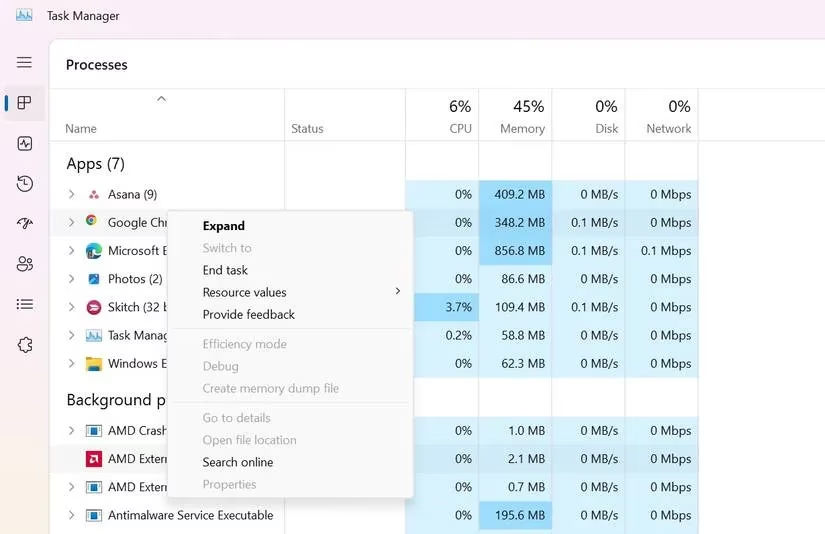
Background apps are the wrestling locker room of Windows: everyone wants attention, and some of them are hogging all the snacks. If too many memory-hungry programs are running, WWE 2K23 gets squeezed for resources and may crash. Players should open Task Manager with Ctrl + Shift + Esc, sort by the Memory column, right-click the biggest offenders, and choose End Task. It is not glamorous, but freeing up RAM is one of the quickest ways to stop the game from throwing a fit.
Make Sure the Right GPU Gets the Spotlight 💥
Many PCs have both integrated graphics and a dedicated GPU. Sometimes Windows picks the wrong one, and the game ends up running on the weak undercard instead of the main-event card. That can lead to low frames or a full crash. The fix is to tell Windows to use the dedicated graphics card for WWE 2K23. In Windows 11, players can head to Settings > System > Display > Graphics, add the game if needed, and choose the high-performance GPU option. It is a small change with a big payoff.
Update Windows and the GPU Driver 🛠️
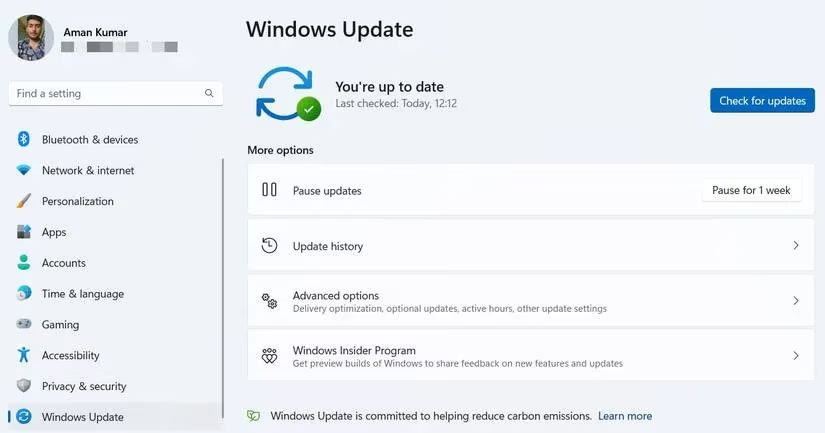
If the PC has been acting cranky in other games too, the problem may be bigger than WWE 2K23. Updating Windows through Settings > Windows Update is a good start. After that, updating the graphics driver from the GPU manufacturer is essential. Fresh drivers improve performance and can wipe out the kind of corruption that makes games crash. In 2026, driver updates are routine, but skipping them is like ignoring a flashing warning light on the dashboard.
Put Windows Game Mode to Work 🎯
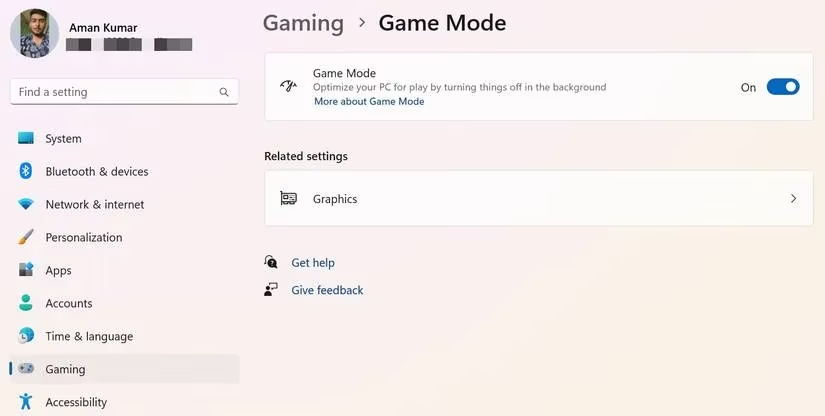
Windows Game Mode is designed to give games a cleaner shot at system resources. It reduces unnecessary notifications and services and adjusts priority when a game launches. Players can enable it through Settings > Gaming > Game Mode. It is not a magic wand, but it is a helpful teammate. If the game is still crashing after that, the next suspect is security software.
Check the Security App 🛡️
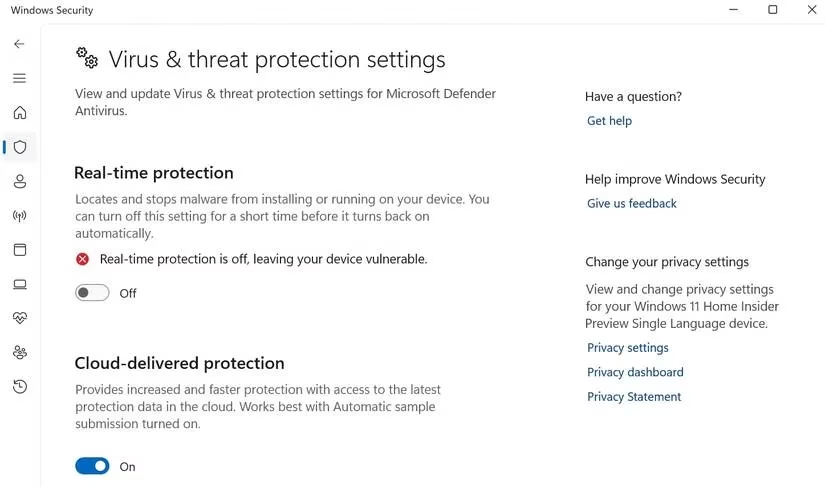
Antivirus programs are supposed to be the good guys, but sometimes they get a little too enthusiastic and block a trusted game like WWE 2K23. Players can temporarily disable the security app and launch the game to see if the crashing stops. With Windows Security, the real-time protection toggle is the usual culprit. With third-party security software, the option is often in the system tray or the app's settings. The key word is temporarily: once the test is done, the protection should go back on. A PC without security is like a wrestler without a mouthguard—technically possible, but not recommended.
Verify the Game Files, Then Reinstall if Needed 🔍
Corrupted or missing files are a classic cause of crashes. On Steam, players can right-click WWE 2K23 in the Library, open Properties, find the installed files section, and verify the integrity of the game files. Steam compares the local files with its servers and replaces anything that looks suspicious. It is a tidy little repair job that costs nothing but time.
If that does not work, the heavyweight option is a clean reinstall. Players can uninstall WWE 2K23 through Steam, then install it again. It is annoying, but sometimes a fresh start is the only way to clear out the cobwebs. In 2026, with the game no longer being the newest release, a reinstall can also help if old mods or leftover files are causing trouble.
Final Bell 🏁
WWE 2K23 crashing on Windows 11 is a pain, but it is usually fixable. Players should start with hardware, then tune the graphics settings, close background apps, choose the right GPU, update Windows and drivers, enable Game Mode, check the security app, and verify or reinstall the game files. If the game still refuses to cooperate, the problem may be a deeper system issue or a driver quirk introduced by a newer update. In that case, rolling back the GPU driver or seeking manufacturer support is the sensible next move. With a little patience and a bit of PC elbow grease, WWE 2K23 can get back in the ring—hopefully without faceplanting before the opening bell.