

There are few things as soul‑crushing as unboxing a shiny new graphics card only to discover it’s half an inch too long for your case. The builder’s high evaporates, replaced by silent rage and frantic returns. PC hardware compatibility isn’t just a checkbox—it’s the invisible glue holding every gaming rig, workstation, and RGB‑infused miracle together. Forget it, and you’ll spend evenings wrestling with error beeps instead of fragging noobs. Fortunately, the internet brims with tools that act like a mechanically‑minded best friend who never gets tired of saying “that won’t fit.” Here are seven of them, guaranteed to keep your build healthy and your temper in check.
1. PCPartPicker: The Grand Poobah of Compatibility
When a builder first dips a toe into component selection, PCPartPicker is the life raft everyone recommends. It’s not hype — it’s survival instinct. This site hoards a monstrous database of CPUs, motherboards, GPUs, RAM kits, and even case dimensions. A user builds a virtual rig piece by piece, and the system gently slaps their hand whenever a mismatch lurks: wrong socket, missing power connectors, or a cooler that would need a shoehorn.
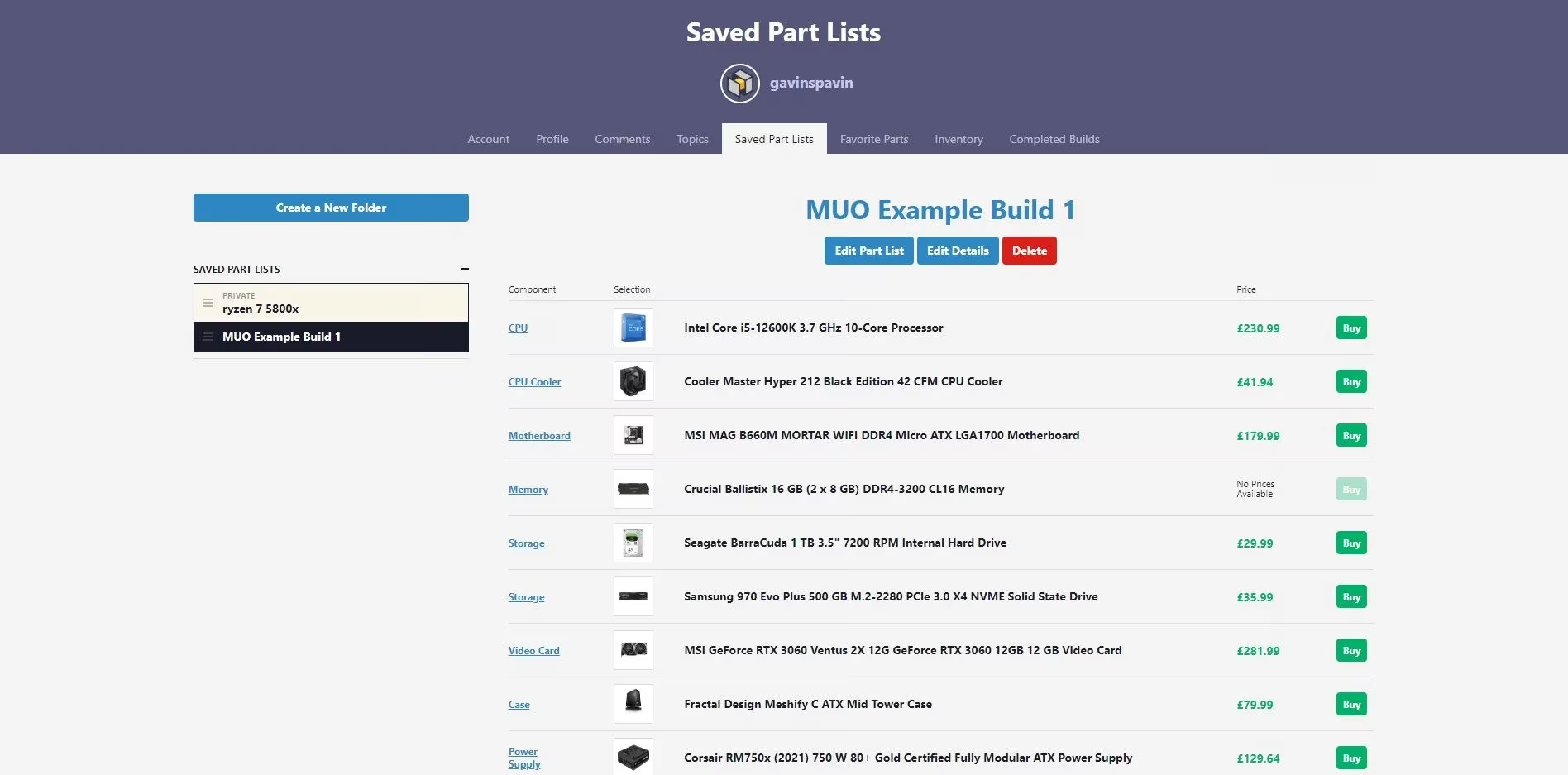
What makes it truly golden, however, is the community layer. Completed Builds and Build Guides offer a peek into thousands of real‑world setups. A first‑timer can clone a battle‑tested configuration without reinventing the thermal‑paste wheel. Price tracking and wattage estimates are cherries on top. In the 2026 landscape, the site remains the gold standard, having integrated even next‑gen component specs practically on launch day.
2. Straight from the Horse’s Mouth: Manufacturer Spec Sheets
While aggregators do the heavy lifting, sometimes a builder needs the gritty details that only the people who forged the silicon can provide. Intel, AMD, and NVIDIA websites are treasure troves of chipset diagrams, memory‑speed tables, and power requirement footnotes that would bore a normal human but make a PC enthusiast weep with joy.
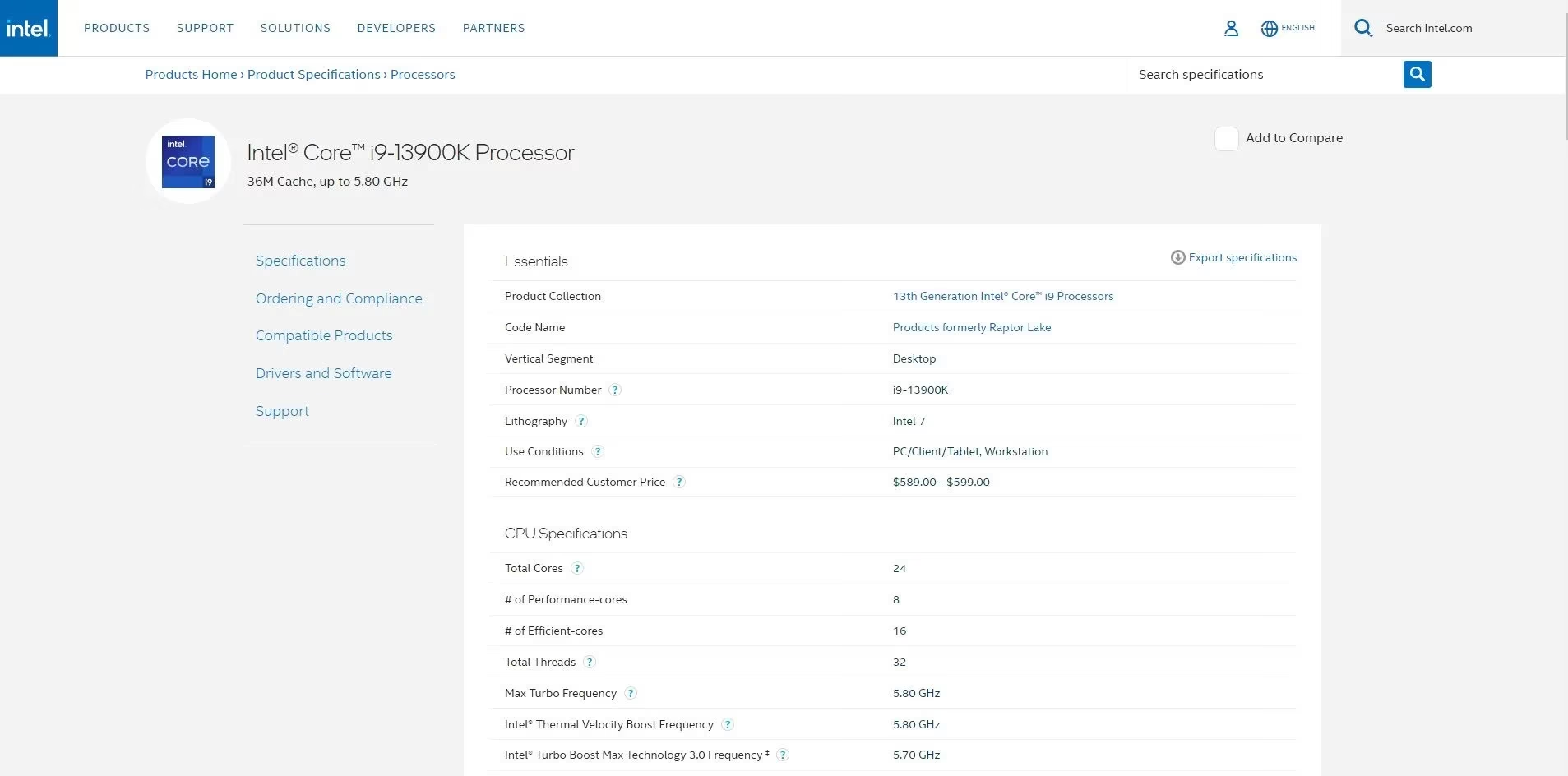
A quick scan of an Intel spec sheet reveals the exact chipset needed — and therefore which motherboard generations belong in the shopping cart. AMD’s pages scream about PCIe lane bifurcation with the enthusiasm of a toddler describing a T‑Rex. Sure, it’s not as visual as a colorful builder tool, but when a builder faces weird questions like “will four M.2 drives disable my SATA ports?”, the manufacturer’s PDF becomes scripture.
3. GPU Check: The Marriage Counselor for Your CPU and GPU
Buying the beefiest graphics card and pairing it with a wheezing five‑year‑old processor is like hiring an Olympic sprinter to pull a tractor. GPU Check steps in as a performance whisperer. It doesn’t just confirm physical fit; it predicts whether the duo will bottleneck each other into a stuttery mess.
A builder selects two components — say, an RTX 5070 and a Core i5‑13600K — and gets a bottleneck score along with frame‑rate projections for popular titles. 🤓 It’s not perfect, because real‑world cooling, background apps, and the phase of the moon all meddle with frames, but it’s a solid gut‑check. In 2026, with GPU generations multiplying like rabbits, this tool saves someone from accidentally building a $2,000 slideshow viewer.
4. Newegg Custom PC Builder and Its AI Sidekick
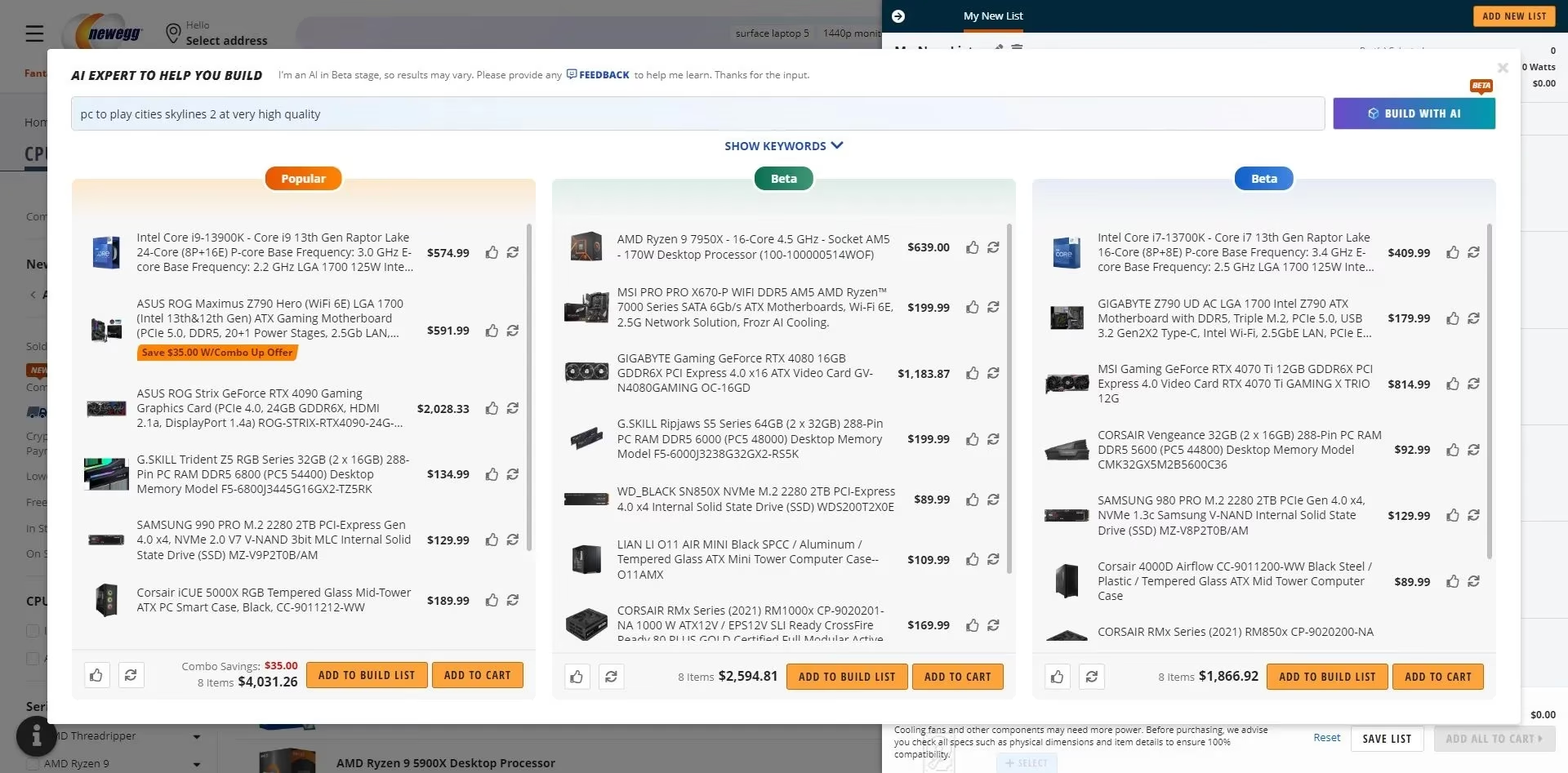
Newegg’s builder tool has been quietly morphing into a proper rival. Its secret weapon? An AI assistant that accepts plain‑English prompts. A user types “give me a rig that runs Cities: Skylines 3 at high settings” and, within seconds, three compatible part lists appear, complete with prices and links.
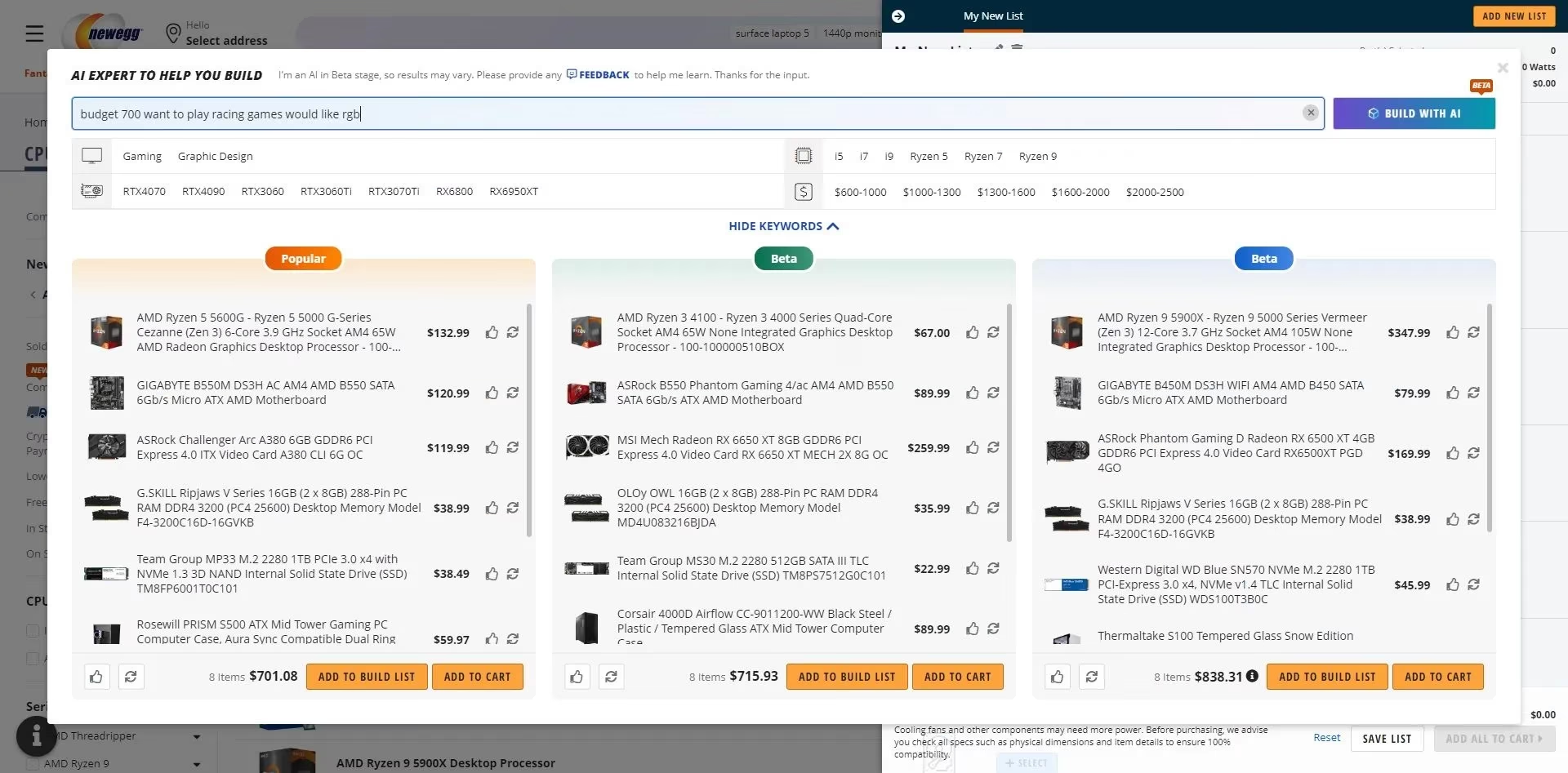
Of course, AI still has a charmingly literal brain. Ask for a “budget $700, want to play racing games, would like RGB,” and it may deliver a black‑box case with one lonely fan that technically has a color LED. But the core compatibility filtering is ruthless: each chosen component narrows the pool, banishing incompatible items instantly.
As of 2026, the AI has gulped down more data and now even suggests BIOS update caveats when a late‑gen CPU meets an older chipset. It’s not quite sentient, but it’s getting there — and it never judges your obsession with rainbow vomit lighting.
5. Bard’s Brain: The AI Oracle of Compatibility
Google’s Bard (now evolved into Gemini but fondly remembered) became a builder’s late‑night consultant. It doesn’t have a real‑time internet connection shoved into the same brain cell, but its training data up to mid‑2025 includes enough forum arguments and spec sheets to be scarily helpful. A hopeful soul can ask, “Build me a 1440p gaming PC under $1,500 that doesn’t catch fire,” and Bard spits out a cohesive list.
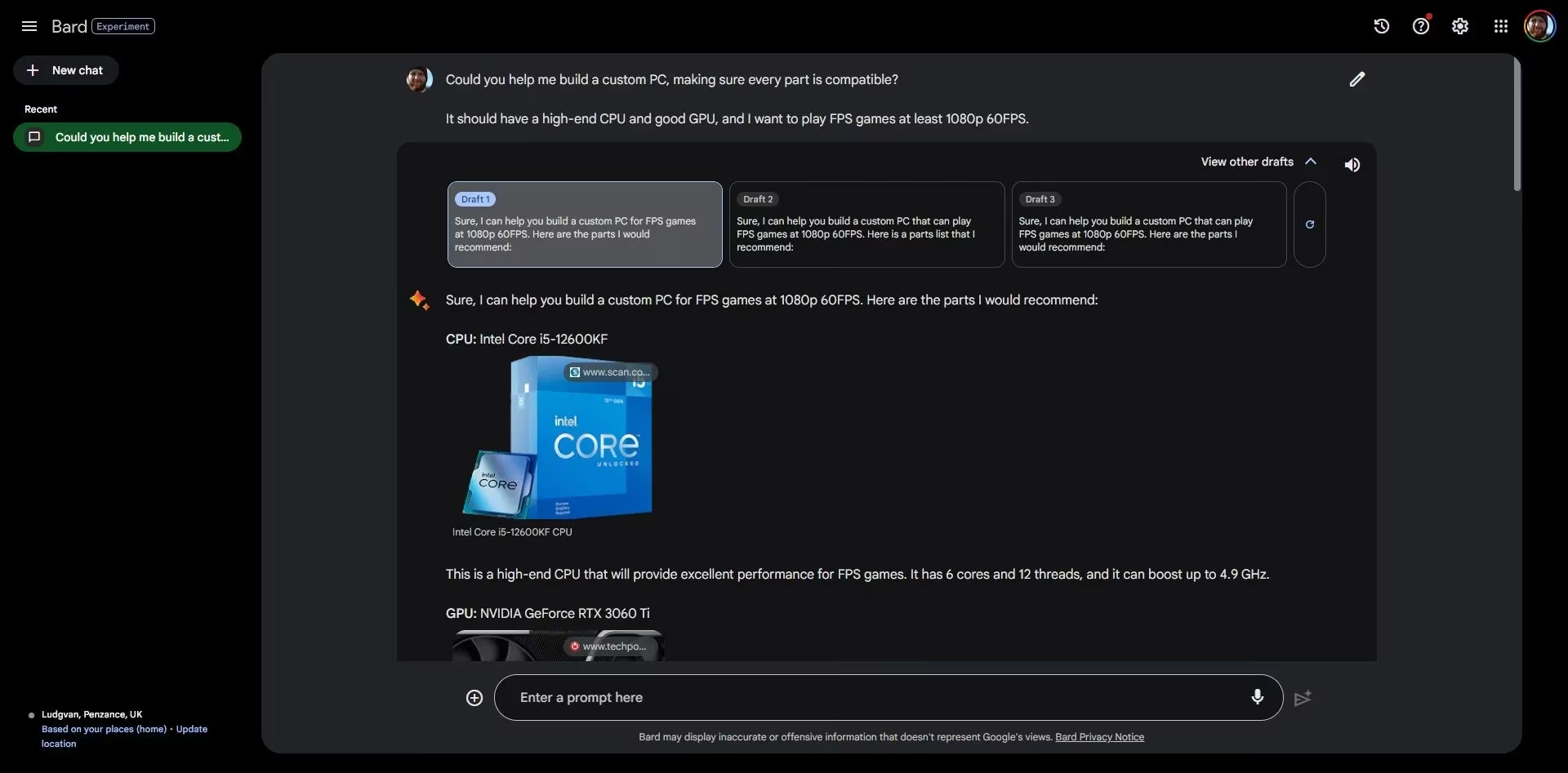
It occasionally forgets a CPU cooler — because who needs one, right? 🔥 — but that’s easily fixed. The second magic trick is feeding Bard a completed parts list and asking, “Are these compatible?” It’ll return a breakdown of socket types, RAM clearance, and even note if the chosen PSU lacks a second EPS connector.
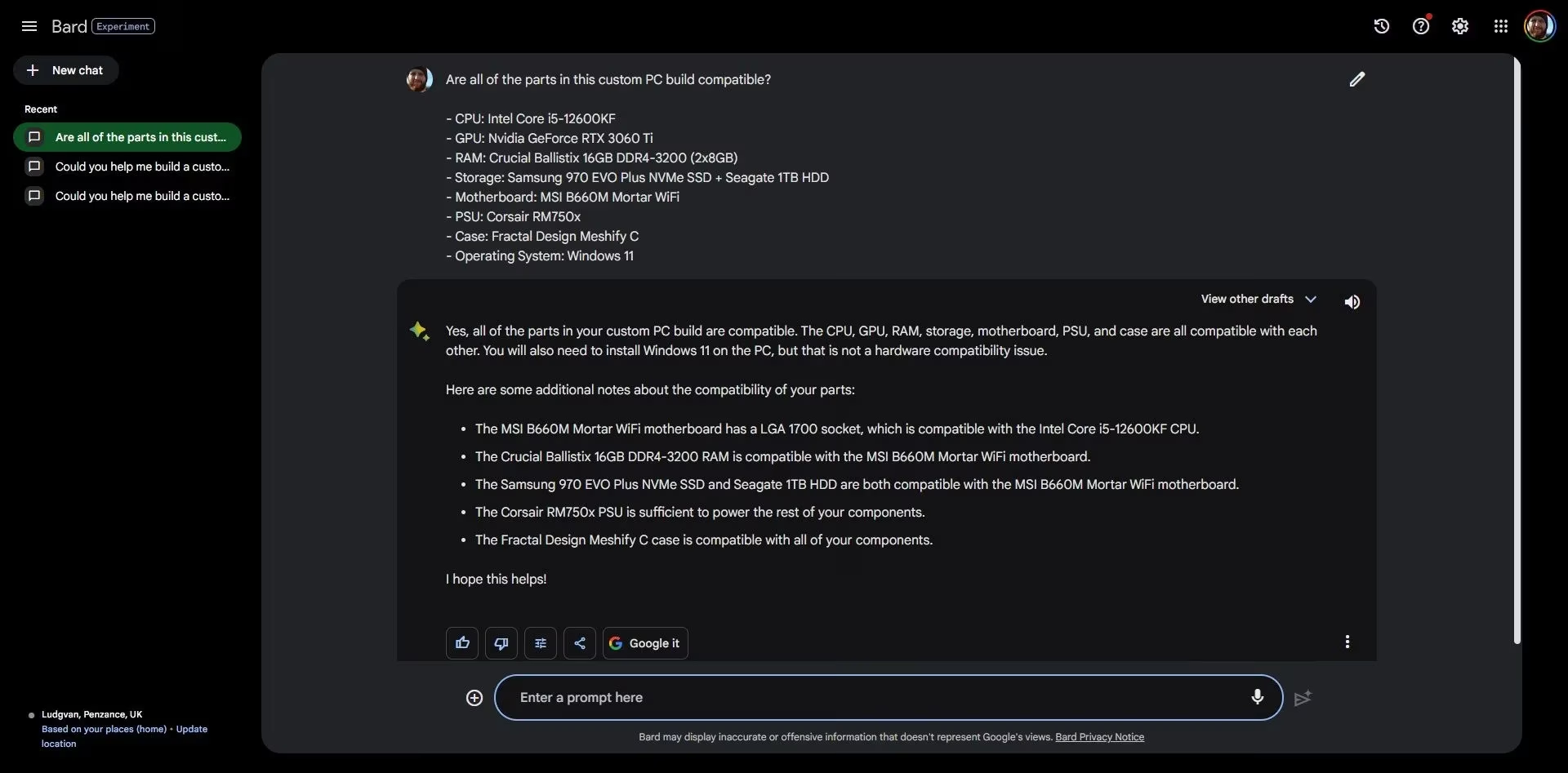
In the shiny year of 2026, many builders still double‑check their choices with an AI, treating it like a second‑opinion doctor who doesn’t charge a copay.
6. PSU Calculators: Don’t Let the Magic Smoke Escape
Nothing kills a first boot faster than an underpowered PSU that throws in the towel the moment the GPU tries to flex. Dedicated calculators from OuterVision, Cooler Master, and Be Quiet! demand a few clicks: CPU model, GPU model, number of drives, an honest overclocking plan. Then they deliver a wattage recommendation, often with a “you really should buy this much” buffer.
A builder learns that a system seemingly content with 550W might spike to 650W during a heavy workload. In 2026, transient power spikes on high‑end GPUs are still a thing, so the calculator’s advice is more gospel than suggestion. It’s the simplest tool on the list, but skipping it is how one ends up with an expensive paperweight and a faint burning smell.
7. Forums and Communities: The Human Safety Net
No algorithm can replicate the sheer pedantry of a seasoned forum dweller who has memorized every LGA socket pin layout since 2004. Places like Linus Tech Tips Forums and Reddit’s r/buildapc teem with folks who will painstakingly audit a proposed build list at 2 AM, not for money, but for the love of properly‑seated hardware.
A first‑time builder posts a PCPartPicker list, and within hours they’ll receive comments like “that RAM is too tall for your cooler,” or “you’ll need an internal USB hub because that motherboard has one header and you have four RGB controllers.” It’s the human touch that catches the edge cases — the 0.5mm clearance issues no database tracks. Even in an AI‑saturated 2026, these communities remain the final sanity check before the “Buy Now” button gets abused.
Building a PC in 2026 is less about fear and more about the thrill of creation — provided one doesn’t wing it. These seven guardians of compatibility turn a potential disaster into a smooth journey. From AI‑generated part lists to the vigilante moderators who spot a missing standoff, the ecosystem has never been friendlier. So go forth, pick your tools, and may your builds POST on the very first attempt. 🖥️✨