
I was staring at my gaming rig's motherboard, a 2025 model with four empty DDR5 slots, like a kid before an unopened candy jar. The decision seemed simple: should I cram a single 32GB stick into one slot or split the investment into two 16GB modules? The salesman had shrugged, “Bigger is better, right?” But my overclocking friend, Jim, gave me a pitying look and whispered one word: “dual‑channel.” That moment launched my deep dive into the secret life of RAM, and what I discovered transformed my machine from a sluggish hauler into a silent speed demon.
At first, I imagined RAM as a huge, flat swimming pool of data. The processor just dips a bucket wherever it needs. But the reality is more like a frantic checkout counter — the CPU is the impatient customer, and the RAM sticks are the cashiers. When you use a single module (single‑channel), you’ve got only one cashier scanning items, no matter how long the queue. Switch to two identical modules in the right slots, and suddenly you have two cashiers working in parallel (dual‑channel). That’s the elegant sorcery of multi‑channel memory: giving the processor multiple pathways to read and write simultaneously. My motherboard, like most modern ones, had four RAM slots. I learned that populating two of them in specific paired slots (often color‑coded) enables dual‑channel; four populated correctly can bring quad‑channel. Even triple‑channel exists, though rarer than a friendly cryptominer.
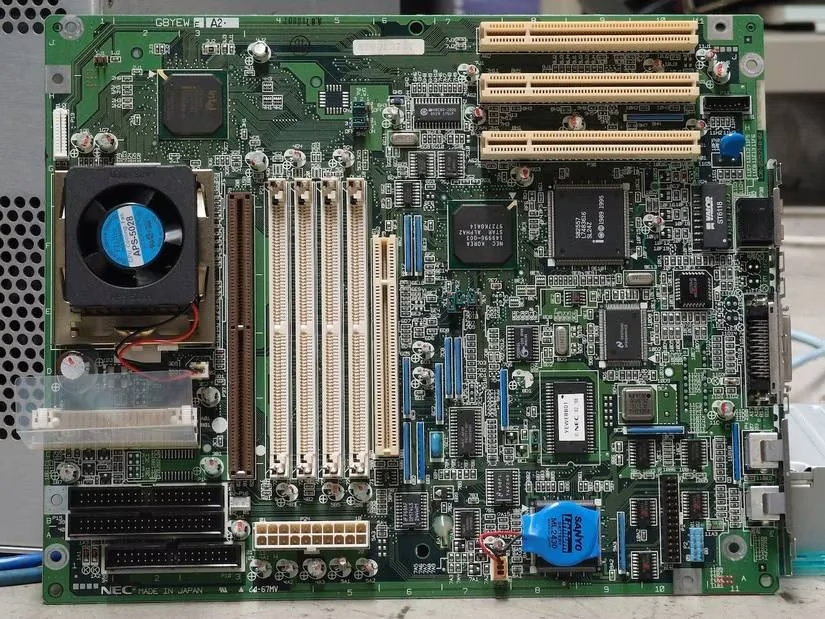
But here’s the twist that nobody tells you at first: more lanes don’t automatically mean a faster journey if the car is a jalopy. Think of the RAM channel architecture as a neural network of octopus arms. A single‑channel setup is like an octopus forced to use only one tentacle to paint, eat, and defend. A dual‑channel setup lets it deploy two tentacles in concert, quadrupling throughput potential. That’s why in gaming, tests from late 2025 showed a dual‑channel configuration pumping out 20–25% higher frame rates on average, and in some titles like Watch Dogs: Legion, the performance literally doubled compared to single‑channel. I verified this myself: after installing my two 16GB DDR5‑6000 sticks in the correct dual‑channel slots, Cyberpunk 2077’s crowded Night City scenes stayed buttery smooth where a single 32GB stick had stuttered like a nervous actor.
The cost issue sneaked up on me like a cat on a keyboard. A single 32GB module was about 15% cheaper than two 16GB kits because the manufacturer saves on packaging, heat spreaders, and shipping. For an office PC, that saving might buy a coffee machine. For a performance‑hungry build, however, the premium for dual‑channel is like paying for an espresso instead of a diluted instant coffee — the jolt is worth every penny.
Then came the messy real‑world scenario: what if I already had an 8GB module and later added a 16GB stick? Would my system combust? No, it would politely enter hybrid dual‑channel (Intel calls it Flex Mode, AMD simply does it without fanfare). Here, the system automatically pairs 8GB from the new stick with the original 8GB to create a dual‑channel “fast lane,” while the leftover 8GB from the larger module acts as a single‑channel overflow reservoir. Imagine a hybrid car that cruises on electric dual‑channel but switches to the gas single‑channel when overtaking — functional, but not ideal for drag races. This asynchronous setup is like a symphony where the violins play flawlessly in tandem while the cello occasionally improvises a solo; the orchestra still works, but purists will notice the imperfections. For consistent high performance, forget mismatched modules; memory will all clock down to the speed of the slowest stick anyway.
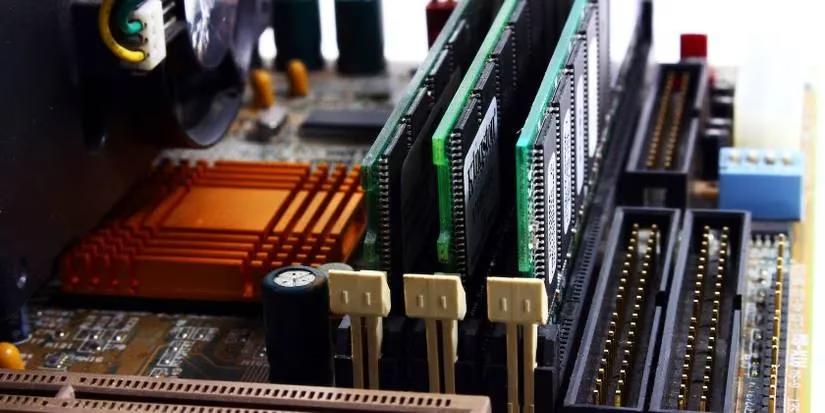
As we live in 2026, DDR5 reigns supreme, with per‑slot capacities reaching a monstrous 256GB. Yet the physics of data pathways haven’t changed. I also learned that if your CPU or motherboard is a bottleneck — say an older Ryzen with weak memory controllers — even a quad‑channel setup won’t perform miracles. It’s like attaching a firehose to a garden tap; pressure wins over pipe count. So before my upgrade, I scrutinized my motherboard’s QVL list and ensured both modules came from the same manufacturer and had identical speed and timings.
In the end, I went dual‑channel. The transformation was as vivid as swapping a dusty monocle for a crisp VR headset. My video exports accelerated, game load times evaporated, and I could finally run memory‑hungry applications like local AI image generators without the dreaded swap file stutter.
Here’s what my adventure taught me, condensed for anyone standing at the RAM aisle in 2026:
-
✅ Go dual‑channel when you can. The performance uplift in gaming and heavy multitasking is not snake oil; it’s measurable and real.
-
💸 Save with a single large module only if budget is tight and your tasks are light (email, browsing, document editing). You can always add a twin later.
-
🔄 Hybrid dual‑channel is a survival tactic, not a strategy. Use same‑capacity, same‑speed sticks for the cleanest build.
-
🛑 Check your whole system. A shiny new kit of RAM won’t fix a compromised CPU or a spinning hard drive. Faster NVMe SSD upgrades in 2026 can sometimes be a better investment than memory.
-
🎯 Frequency matters. If multi‑channel isn’t an option right now, a single stick with higher speed can partly atone for the missing parallelism.
That afternoon I spent mining forums and manuals was more valuable than any tutorial video. I now see my motherboard not as a mere circuit board, but as a carefully orchestrated conductor of data, and I’m grateful I chose the dual‑channel symphony over a single‑note hum.