
Let me tell you a tale of digital woe that would make any gamer's blood run cold. There I was, in the year 2026, my trigger finger itching to dive into the latest cyberpunk masterpiece, my credit card details entered with the precision of a master thief, only to be met with the most soul-crushing pop-up known to PC-kind: "Your last purchase is still pending." Steam, in its infinite, cold digital wisdom, threatened to vaporize my previous transaction if I dared proceed. My bank had already claimed its tribute, yet here I was, caught in a financial purgatory between two corporate titans. The frustration was so real, I nearly launched my state-of-the-art neural-link headset out the window.
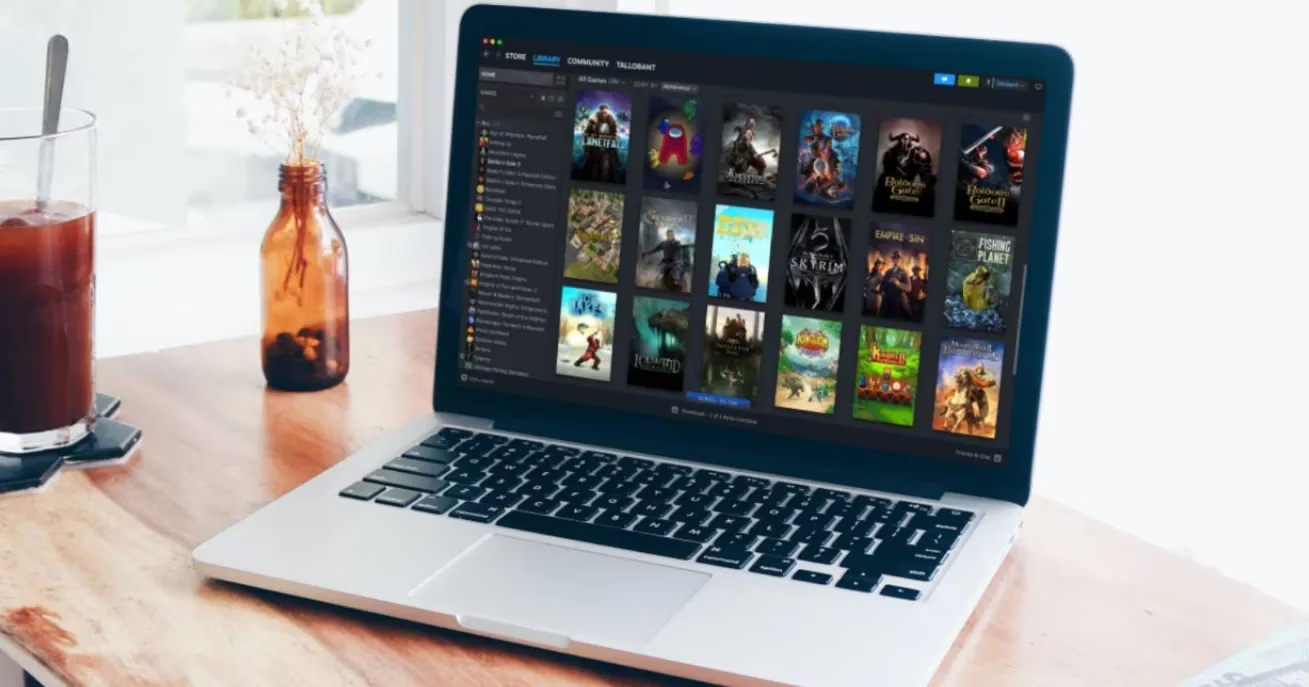
This error, my friends, is a shapeshifter. It wears many masks. Over my years of virtual combat, I've learned it can strike for a multitude of reasons that feel as random as loot drops. Maybe my last purchase was a ghost—initiated but never truly finished. Perhaps the cosmic alignment between my bank's servers and Steam's was off by a nanosecond. Sometimes, it's because I tried to be fancy and use a payment method that Steam's systems view with the same suspicion as a virus. Or maybe, just maybe, I was trying to pay from a digital location that didn't match my physical one, confusing the platform's territorial algorithms. The root cause is always a breakdown in the sacred handshake between your wallet and Valve's vault.
When this digital demon appears, you must not panic. I've developed a battle plan, a checklist of survival tactics forged in the fires of countless support tickets.
First Reconnaissance Mission: Check Your Purchase History.
This is your mission log. Dive into your Steam account and scrutinize the last entry. Was it a clean, successful mission? If yes, this warning might just be a graphical glitch—a minor bug in the matrix. Report it and move on. But if you see an operation marked 'Incomplete' or stuck in 'Processing,' that's your target. You must either complete that mission or abort it before you can launch a new one.
The Art of Patience (A Gamer's Greatest Challenge).
I know, I know. Waiting is for loading screens. But sometimes, the financial data packets are just slow. If you just hit purchase, give it 10, 20, maybe even 30 minutes. Let the banks and servers do their ancient, slow dance. Breathe. Stretch. Maybe play that game you bought last week and haven't touched.
The Nuclear Option: Cancel and Retry.
If the transaction has been 'pending' for hours and your bank shows no record of a charge, you have my permission to terminate it with extreme prejudice. Cancel that sucker right from your Steam purchase history and start fresh. It's a clean slate.
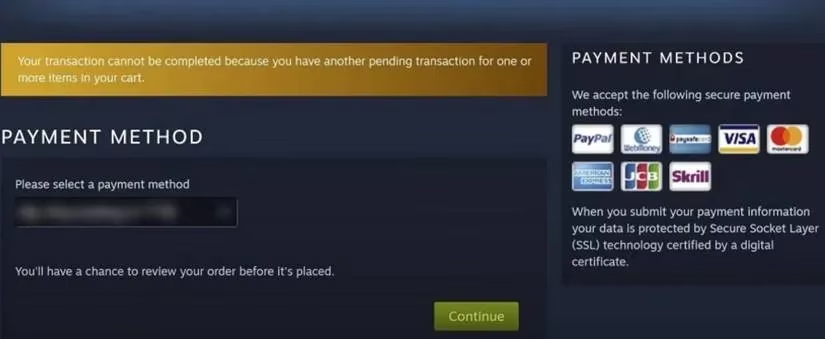
Now, here's where it gets spicy. The Bank Has Charged You, But Steam Sees Nothing. This is the worst-case scenario. Your money is gone, but your library remains barren. In 2026, my first move is still to contact Steam Support directly through the client. Provide screenshots, transaction IDs, the whole nine yards. If they can't help immediately, you may need to cancel the transaction on Steam's side and initiate a refund request with your bank. It's a two-front war, but it's winnable.
My Essential Pre-Flight Checklist (Before You Click 'Purchase'):
✅ Internet Connection: Is your PC/Deck/Neural Implant fully online? Steam needs a solid handshake to confirm payment. No offline mode shenanigans.
✅ Banking Hours: Believe it or not, some banks in 2026 still operate on 'business day' logic. If it's a weekend or holiday, your payment might be in a queue until Monday. Patience, young padawan.
✅ Location, Location, Location: Have you moved countries? I did, from Neo-Tokyo to the Eurozone last year. You MUST update your Steam Store country in your account settings or on the checkout page. Mismatched locations are a guaranteed error.
✅ Local Banking: Steam prefers you use a payment method from the country you're in. Trying to pay for a Eurozone game with a Pan-Asian bank account can cause a system meltdown.
✅ Steam Server Status: Always, always check the official Steam Status page. If there's a hiccup in their payment processing system, you could be shouting into a void. Wait for the all-clear.
✅ Currency Consistency: Paying in a currency that isn't your store's default (like using Yen in a Dollar store) can sometimes jam the gears. Try switching to a compatible payment method.
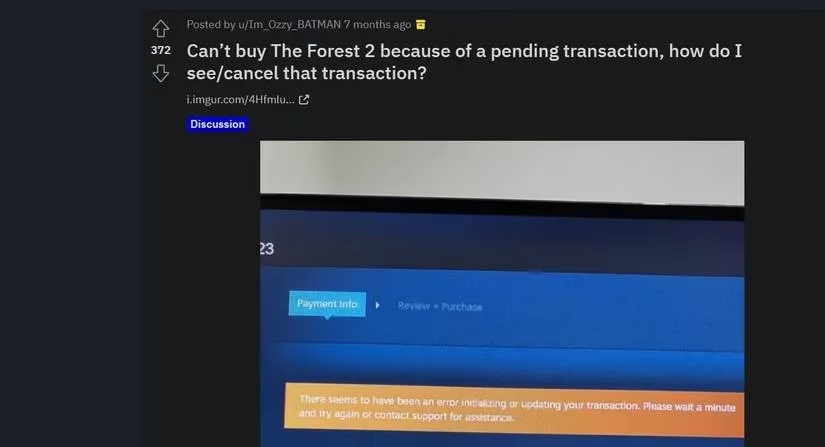
Let me be clear: ignoring this warning is like ignoring a boss's enrage timer. If you recklessly make a new purchase while one is pending, you could end up with:
-
Double charges from your bank.
-
One or both transactions being canceled by Steam's automated systems.
-
Hours of your life lost in support chat hell, trying to untangle the mess.
The emotional toll is not worth it. Trust me, I've been there.
So, fellow digital warrior, arm yourself with this knowledge. The 'Pending Purchase' error is a formidable foe, but it is not invincible. Methodically work through these checks and fixes. Start with your history, verify your connection and location, and give the systems time to sync. In 99% of my battles, one of these tactics has led to victory, allowing me to claim my digital prize. But if, after all this, the error still stands defiant, your final and most powerful move is to summon the cavalry: Steam Support. Provide them with clear evidence, and they will descend into the code to fight for you. Now go forth, and may your downloads be swift and your purchases ever-clear.