

Ugh, there's nothing worse than being deep into an epic Roblox build or a crucial round when that dreaded 'There was a problem sending data, please reconnect' message slaps you in the face with Error Code 262. 😩 I've been there, frantically clicking while my carefully crafted avatar just... freezes. It feels like the digital equivalent of tripping right before the finish line! Based on my own frustrating experiences and digging into the common culprits, let me walk you through what actually causes this annoying error and, more importantly, how I finally got my connection stable. Trust me, the relief is real!
🤔 What Exactly Triggers Error 262?
From what I've learned (often the hard way!), Error 262 basically means Roblox lost its chat with the game servers. The data flow got interrupted. The usual suspects are:
-
My Internet Acting Up: Seriously, this is the prime suspect 90% of the time for me. A hiccup, a drop, or just plain instability can kill the connection mid-game.
 -
Roblox Servers Taking a Nap: Sometimes, it's not you, it's them! If Roblox's backend is having issues, everyone suffers. I always check this first when I see widespread complaints online.
-
Bandwidth Bandits: Downloads running in the background? Other devices streaming 4K? Yeah, that can starve Roblox of the juice it needs. I learned this after blaming my ISP for weeks!
-
Shady Mods & Extensions: Those cool-looking Roblox enhancers or browser extensions? They might be cool, but they can also mess with the data flow. I had to ditch my favorite toolbar because of this error.
-
Glitchy Client: Rare, but sometimes the Roblox app itself just gets confused and needs a fresh start.
🛠️ My Step-by-Step Battle Plan Against Error 262
Here's the exact sequence I follow whenever Error 262 rears its ugly head. Start simple!
-
The Obvious First Move: Reconnect!
- Don't just rage quit! Click that 'Reconnect' button right on the error message.
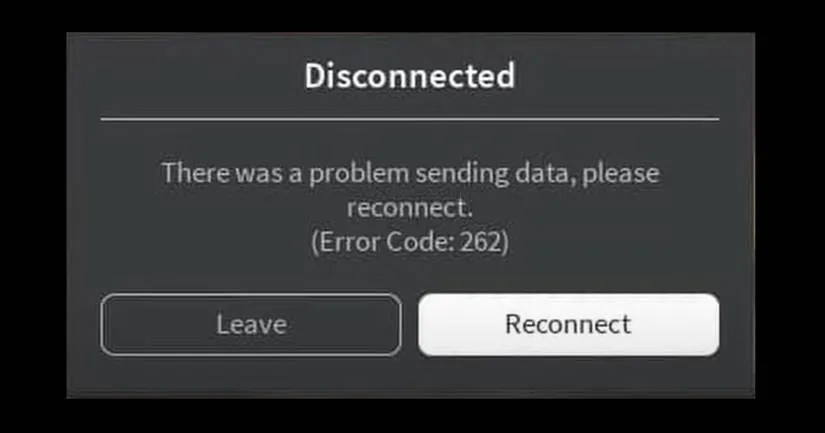Honestly, half the time, this is just a tiny blip, and it works instantly. If it does? Sweet relief! If not... deeper dive time.
- Don't just rage quit! Click that 'Reconnect' button right on the error message.
-
Check the Lifeblood: Internet & Roblox Status
-
My Internet: Is my Wi-Fi actually connected? Did my router decide to take an unscheduled break? A quick speed test or loading another website tells me instantly. If it's down, that's my problem to fix (router reboot, call ISP, cry softly).
-
Roblox Servers: Head straight to the official Roblox Status Page.
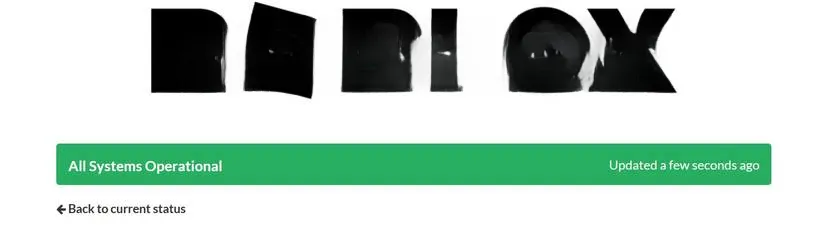Seeing that 'All Systems Operational'? Great, move on. Seeing red? Grab a snack, it's wait time. Nothing I can do but be patient.
-
-
The Quick & Dirty Preliminary Checks (Do These!)
These often feel too simple, but I swear they fix things more often than you'd think:
-
Close the error, quit Roblox COMPLETELY (check task manager!), and relaunch.
-
Log out of my Roblox account entirely, then log back in. Fresh session vibes!
-
Reboot my PC or console. The classic 'turn it off and on again' is classic for a reason!
-
Ensure I'm not accidentally running the web client and the Microsoft Store app simultaneously. Pick one!
-
Cycle my internet connection: Disconnect Wi-Fi/Ethernet, wait 10 secs, reconnect.
-
Disable my VPN temporarily. Sometimes they just don't play nice.
-
Whitelist Roblox in Windows Defender Firewall. Security software can be overzealous!
-
-
Nuke the Mods & Extensions
-
If I'm using any Roblox mods, scripts, or injectors? I turn them OFF immediately. They're a common source of instability and can even risk your account. Not worth it!
-
Browser extensions like BTRoblox or FPS unlockers? Disable them all for testing.
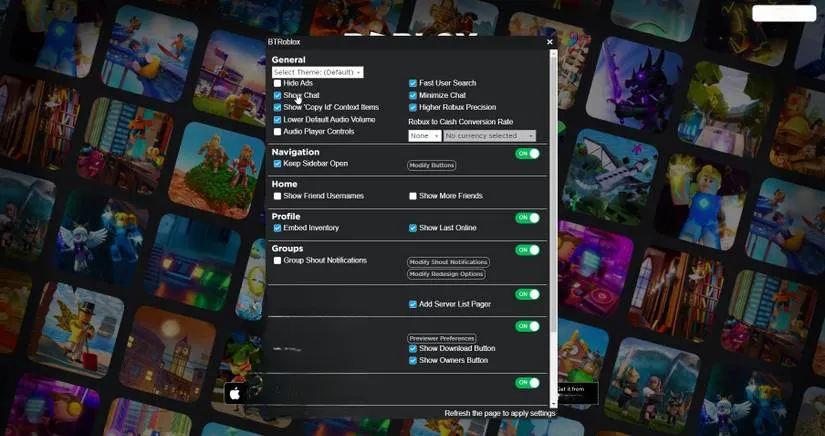If the error vanishes, one of them was the culprit. Re-enable one by one to find the villain, or ditch them entirely. I found a supposedly 'helpful' extension was actually causing lag spikes!
-
-
Tackle Internet Instability Head-On
-
If my connection feels flaky (lag spikes, other sites loading slow), I run a ping test (open Command Prompt, type
ping google.com -tand look for consistent times and no 'Request timed out'). High ping or packet loss? Time for action:-
Router Reboot: Unplug it, count to 30 slowly (patience is key!), plug it back in. Works wonders.
-
Kill Bandwidth Hogs: Open Task Manager (Ctrl+Shift+Esc), go to the 'Network' tab, and sort by usage. End tasks sucking up my bandwidth!
🚫 -
Pause Downloads/Updates: That massive game update or movie torrent? Pause it while playing Roblox!
-
Disconnect Other Devices: Tell your sibling/roommate to get off Netflix for a bit! Every device shares the pipe.
-
Run Network Troubleshooter: Let Windows try to fix it itself (Settings > Network & Internet > Status > Network troubleshooter).
-
-
-
Switch Roblox Clients
- If I usually play via the website (Roblox Player), I try downloading and using the Microsoft Store app instead, or vice-versa. Sometimes one client just handles the connection better on my specific setup. It's a simple switch worth trying!
-
The Nuclear Option: Reinstall Roblox
-
If nothing else works, it's time for a clean slate. I:
-
Properly uninstall Roblox (don't just delete the shortcut! Use Windows Settings > Apps).
-
Hunt down and delete any leftover Roblox folders (common spots:
C:\Program Files (x86)\RobloxandC:\Users\[YourUsername]\AppData\Local\Roblox). -
Reboot my PC.
-
Download a fresh installer directly from the official Roblox website and reinstall.
-
-
This clears out any corrupted files or messed-up settings deep within the installation that were causing the data send failure. It's a bit of a hassle, but it often solves persistent, weird errors.
-
🎉 Victory Lap & Keeping it Smooth
Beating Error 262 consistently comes down to a stable connection and a clean setup. I focus on keeping my internet reliable (wired Ethernet is king if possible!), avoid sketchy mods, and keep my Roblox client updated. That sinking feeling of disconnecting mid-jump is the worst, but knowing how to fight back makes it so much less stressful.
Have you battled Error 262? What finally worked for YOU? Share your war stories and tips in the comments below – let's help each other stay connected and keep the adventures going! 👇 And if you're still stuck after all this, definitely reach out to Roblox Support – provide them details, they might have specific fixes! Let's crush this error together! 💪