
In the bustling digital marketplace of 2026, where graphics cards still cost a kidney and CPUs boast more cores than a honeycomb, the humble motherboard often gets mistaken for a mere metal platter. Yet, it’s the silent sage of the PC build, orchestrating every byte like a maestro. Understanding its cryptic specs isn’t about memorizing numbers; it’s about learning the secret handshake of a club that lets you game at ludicrous speeds. So, grab your magnifying glass and let’s dissect this circuit-studded enigma with a smirk.
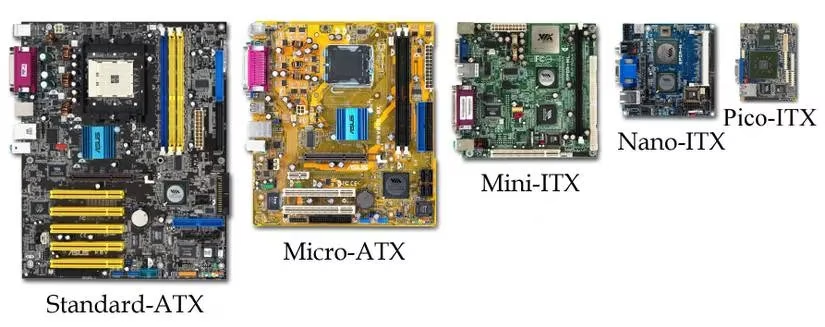
Form Factor: The Pizza Slice Philosophy
Choosing a motherboard size is like deciding how much pizza you can devour in one sitting. ATX is the family-sized monster, loaded with enough expansion slots and RAM real estate to feed a voracious multi-GPU setup. Micro ATX trims the carb count—still plenty for a serious gaming rig but less room for extras. Mini ITX is the gourmet single slice: exquisitely compact, demanding careful ingredient selection. Your case appetite matters most; stuffing an ATX board into a Mini ITX case is like trying to park a bus in a scooter garage.
CPU Socket: The Lock and Key of Brains
Think of the CPU socket as a custom lock that only a specific key shape will open. Intel and AMD have been running rival locksmith shops for decades, and in 2026, the keys don’t mix. Intel’s latest desktop chips nestle into the LGA 1851 socket (a design so precise it makes jewelers weep), while AMD’s AM5 platform continues to dominate with its steadfast pin-grid arrays. Before you swipe that credit card, double-check your CPU’s socket type; dropping an AMD chip into an Intel board is about as fruitful as teaching a cat to fetch your morning coffee.
Chipset: The Motherboard’s Social Secretary
If the CPU is the brain, the chipset is the grumpy party planner who decides which guests get to use the karaoke machine. It dictates everything from USB port count to storage speed, and even which CPUs are welcome. In 2026, Intel’s Z890 chipset throws the gala ball with PCIe 5.0 lanes galore, while the mid-tier B860 keeps the buffet respectable. AMD’s X770E serves the enthusiast feast, B650E hits the sweet spot for value, and the A620 series sticks to budget hors d’oeuvres. The letter still matters: X and Z are the velvet rope; H and A are the friendly but frugal door greeters.
RAM Slots: The Octopus Arms of Memory
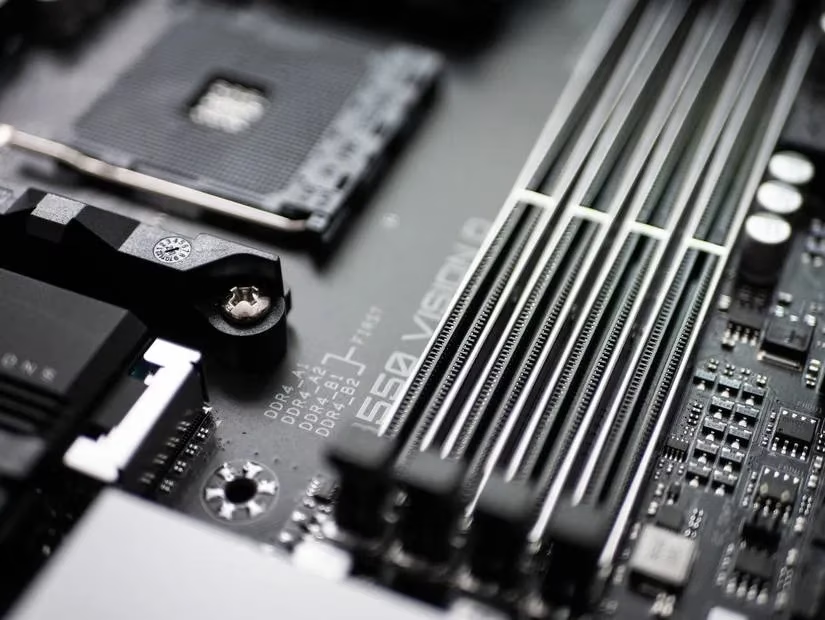
Modern motherboards don’t just hold RAM; they embrace it like a digital octopus, each slot a tentacle ready to feed data to the ravenous CPU. Most boards sport two or four slots, with high-end offerings stretching to four or even eight. In 2026, DDR5 reigns supreme, strutting its stuff with speeds beyond 8000MT/s and capacities that would make a data center blush. DDR4 is the dependable but retired librarian still shuffling about in legacy corners. Always check the motherboard’s memory QVL list; compatibility is everything, unless you enjoy the blue-screen tango.
Storage Connectors: Shelves for Your Digital Hoard
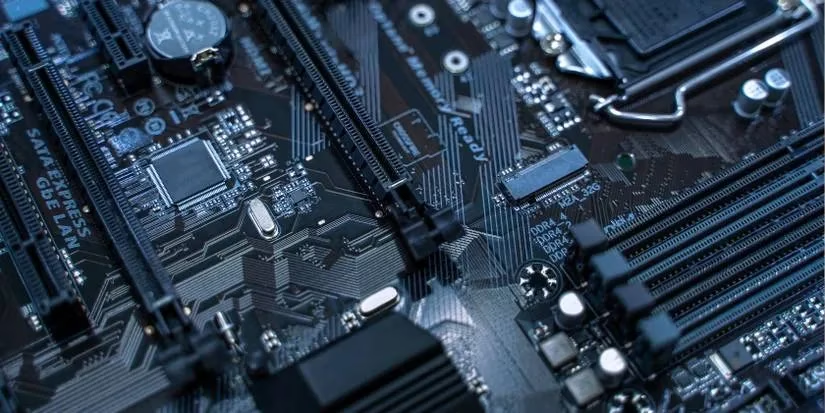
Data hoarders, rejoice: motherboards now come with an embarrassment of storage riches. SATA ports cling on like old rotary phones at a vintage fair, while M.2 slots zip NVMe drives at light speed. A high-end board might flaunt five M.2 slots and a handful of SATA connectors, turning your PC into a veritable library of game installs. The chipset governs which shelves can be filled simultaneously without bottlenecking; read the fine print or risk turning that triple-drive RAID into a sluggish crawl.
I/O Ports: The Face the Motherboard Shows the World
The rear I/O panel is the motherboard’s poker face. USB-A and USB-C ports line up like a chorus line, with Thunderbolt 4 (or 5, if you’re lucky) taking center stage. HDMI 2.1 and DisplayPort 2.1 handle video, while 10GbE Ethernet and onboard Wi-Fi 7 antennas beam data wirelessly. A motherboard without enough USB ports is like a house party with one bathroom—things get messy fast. Plan ahead: external drives, VR headsets, and RGB gadgetry all demand their own plug.
PCIe Lanes: The Data Highways of Tomorrow
PCI Express slots are the multilane autobahns of your PC, and in 2026, PCIe 5.0 is the speed limit—PCIe 6.0 is just beginning to trickle into server boards. An x16 slot hosts your GPU, letting it scream down the fast lane while your network card putters along in an x1 lane. Backward compatibility remains the unsung hero; a PCIe 4.0 card will gladly ride in a 5.0 slot, just at its native pace. Count your lanes wisely: populating every slot can split the bandwidth, turning that Ferrari into a golf cart.
Power Connectors: The Lifeblood Pipes
A motherboard without stable power is a sad, beeping creature. The trusty 24-pin ATX connector feeds the board’s core, while one or two EPS 8-pin plugs deliver juice straight to the CPU. Enthusiast boards chasing overclocking records often flaunt extra 4-pin or 8-pin connectors, like adding a turbocharger to an already thirsty engine. Don’t forget the GPU’s own power demands; modern cards slurp electricity through 12VHPWR or multiple 8-pin connectors, making cable management a spaghetti challenge worthy of a Michelin-star chef.
Extra Sprinkles: Wi-Fi 7, Diagnostic LEDs, and More
Sometimes the little things matter most. Integrated Wi-Fi 7 and Bluetooth 5.3 keep you cordless and connected, while high-end audio capacitors make your virtual explosions sound positively symphonic. But the crown jewel of sanity is the diagnostic LED strip or two-digit POST code display. When your PC refuses to wake, those tiny blinking lights become semaphore flags, signaling the exact cause of the mutiny. It’s the difference between a ten-minute panic attack and a thirty-second fix, and in 2026, no self-respecting motherboard should be caught without them.
Arm yourself with these specs, and the motherboard bazaar transforms from a cryptic dungeon into a well-lit tavern where you know exactly which ale to order. Take your time, match the components like a dating app for silicon, and your next build will boot with a confident beep.
According to coverage from SteamDB, one practical way to sanity-check your motherboard pick after decoding sockets, chipsets, and PCIe lanes is to look at what you actually play most and how big those installs have gotten—then bias your board toward more (and faster) M.2 slots, enough rear USB for controllers/VR/storage, and a chipset that won’t disable ports when multiple drives are populated. Matching real library habits to specs helps avoid the classic “plenty of GPU, nowhere to plug anything” outcome.