
The first time I unboxed a power supply in 2026, I felt as if I had opened a sleeping octopus: a tangle of black limbs, each ending in a different plug. I had built PCs before, but never from scratch, and the PSU cables looked less like hardware and more like a test I had forgotten to study for. The manual promised that every connector had a purpose. I promised myself I would not fry anything. That promise turned out to be easier to keep than I expected, because PSU connectors are designed like diplomatic passports: they only grant entry at the correct border.
A power supply unit, or PSU, is not a one-size-fits-all brick. It is a translator that converts wall power into the different voltages a desktop needs. Your CPU, motherboard, GPU, and drives all ask for power in different dialects. The connectors are the grammar that keeps those requests from turning into smoke.
Here is the mental map I wish I had on day one:
| Connector | Typical use | What I learned |
|---|---|---|
| 24-pin ATX or 20+4-pin ATX | Motherboard main power | Use the full 24 pins on modern ATX, micro-ATX, and most Mini-ITX boards. Split off the extra 4 pins only for legacy 20-pin boards. |
| 8-pin EPS or 4+4-pin EPS | CPU power | Modern CPUs want at least one 8-pin EPS. Older CPUs may run on a 4-pin ATX12V. |
| 8-pin PCIe or 6+2-pin PCIe | Graphics card power | Never confuse this with EPS, even if the plug looks similar. |
| SATA and Molex | SSDs, hard drives, fans, accessories | These are the low-voltage errands of the PSU world. |
| 12V-2x6 or 12VHPWR | High-end GPUs in 2026 | ATX 3.1 units often include this. It is not for the CPU or motherboard. |
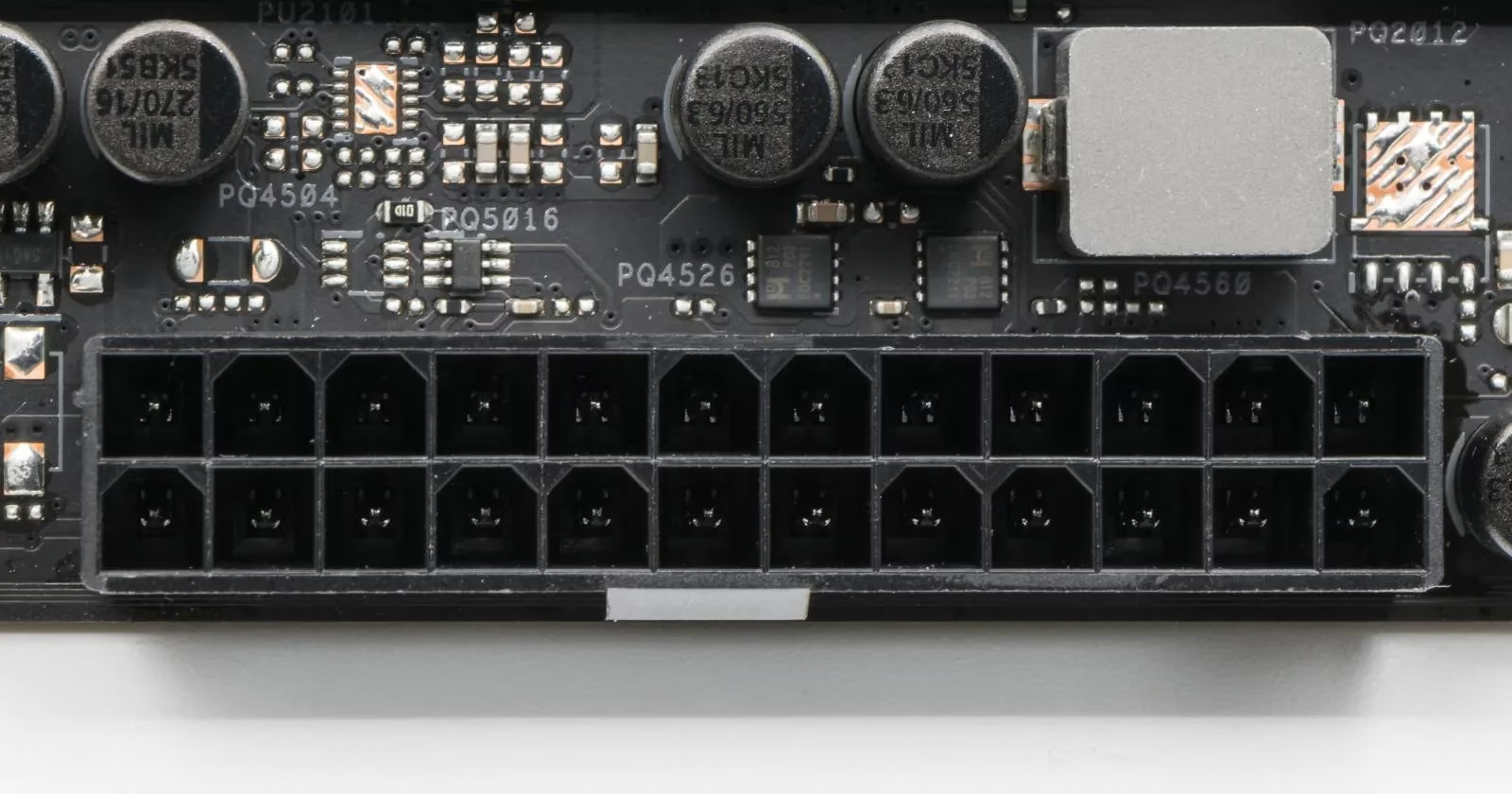
The 24-pin ATX connector is the main artery. In the past, motherboards needed less power, so a 20-pin connector was enough. Today, PSUs usually provide a 20+4-pin cable that can become a full 24-pin connector or a legacy 20-pin one. For ATX, micro-ATX, and Mini-ITX motherboards, I use the complete 24-pin block. EATX boards usually run stable with 24 pins, but dual-CPU EATX boards may need an extra connector. Compact ITX boards sometimes accept 20 pins, but some models still demand all 24. When in doubt, I check the manual rather than guessing.
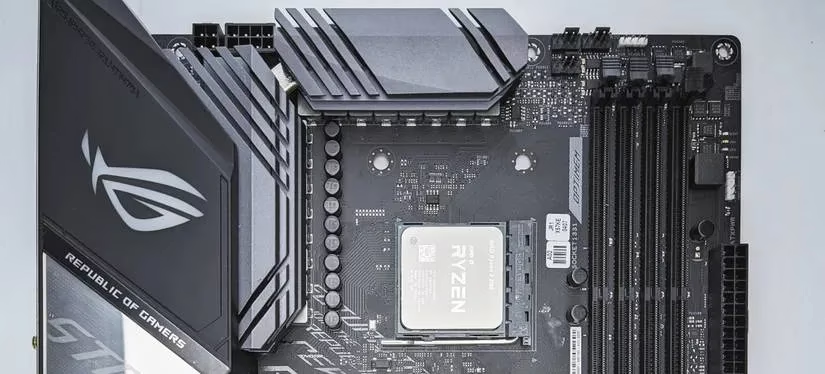
The CPU side is where I almost made my first mistake. In the old days, a 4-pin ATX12V connector could power a CPU. As CPUs became faster, they became hungrier. In 2026, most desktop CPUs need at least an 8-pin EPS connector for stable performance. High-end processors can draw far more than their nominal TDP under heavy load, and overclocking pushes them further. Some workstation CPUs even ask for an additional 4-pin or 8-pin EPS connector.
That raises a common question: if my motherboard has two 8-pin EPS ports, and my CPU only needs one, should I plug both? The answer is usually yes if the PSU has the cables, because redundant power ports only supply power when the component asks for it. They are like extra fire hydrants: they do not spray unless the fire demands it. Some motherboards will not even POST unless both EPS ports are populated. So if I see two 8-pin EPS ports, I look for a PSU with two 8-pin EPS cables. I do not worry about overvoltage, because the motherboard pulls only what it needs.
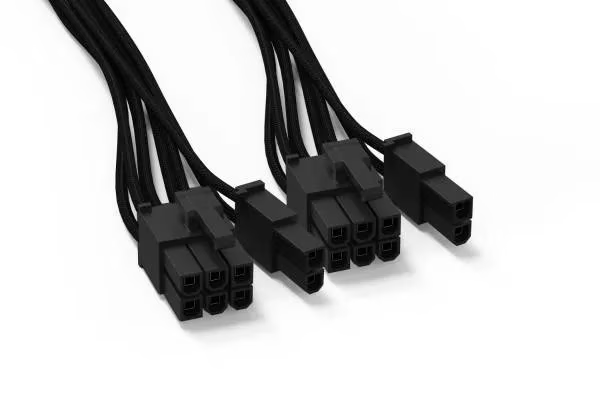
There is one dangerous lookalike: the PCIe power connector. It often comes as an 8-pin or 6+2-pin plug, and it can resemble an EPS connector. Plugging a PCIe cable into a CPU EPS port, or the other way around, can damage the board or the PSU. I always read the labels on the cable and the motherboard. If the plug does not slide in without force, it is the wrong plug. This is not a place for enthusiasm.
For graphics cards, I use the PCIe cables. Modern high-end GPUs may use a 12V-2x6 connector, which is the updated version of the older 12VHPWR design. If I am buying a PSU in 2026, I make sure it is ATX 3.1 compliant and includes the right native cable. Adapters can work, but native cables reduce the risk of a poor connection. The GPU is not the CPU, and its power port should never be fed by an EPS cable.
Storage drives and fans are simpler. SATA power connectors feed SSDs and hard drives. Molex connectors still appear for fans, pumps, and older accessories. These are low-voltage connections, so they are less dramatic, but they still deserve clean cable routing. A messy PSU nest can block airflow, and airflow is free performance.
When I finished my build, I realized the PSU was never the scary part. It was just a box of specific answers. The CPU needed an 8-pin EPS. The motherboard needed a 20+4 or 24-pin ATX. The GPU needed PCIe or 12V-2x6. The drives needed SATA. Every cable had one correct home, and the connectors themselves were shaped to prevent most disasters.
If you are building your first PC in 2026, do not let the cable bundle intimidate you. Start with the motherboard and CPU cables, then add GPU, storage, and accessories. Read the manual for your exact motherboard and PSU. Check the labels twice. And remember that a PSU is not a puzzle box; it is a well-labeled toolbox. Once you know which tool goes where, the whole build feels less like a gamble and more like assembling a very expensive, very satisfying Lego set.