
It was a late night in 2026, and after a chaotic ranked session, all I wanted to do was sign out of Valorant, shut my laptop, and pretend the last match never happened. Instead, I got the infamous pop-up: “Please close other Riot Games products before signing out.” The Exit and Sign Out button was completely grayed out, almost like Valorant was holding my account hostage. Honestly? Kind of embarrassing. I was staring at the screen, pressing random keys, and muttering words that should probably stay off the internet.
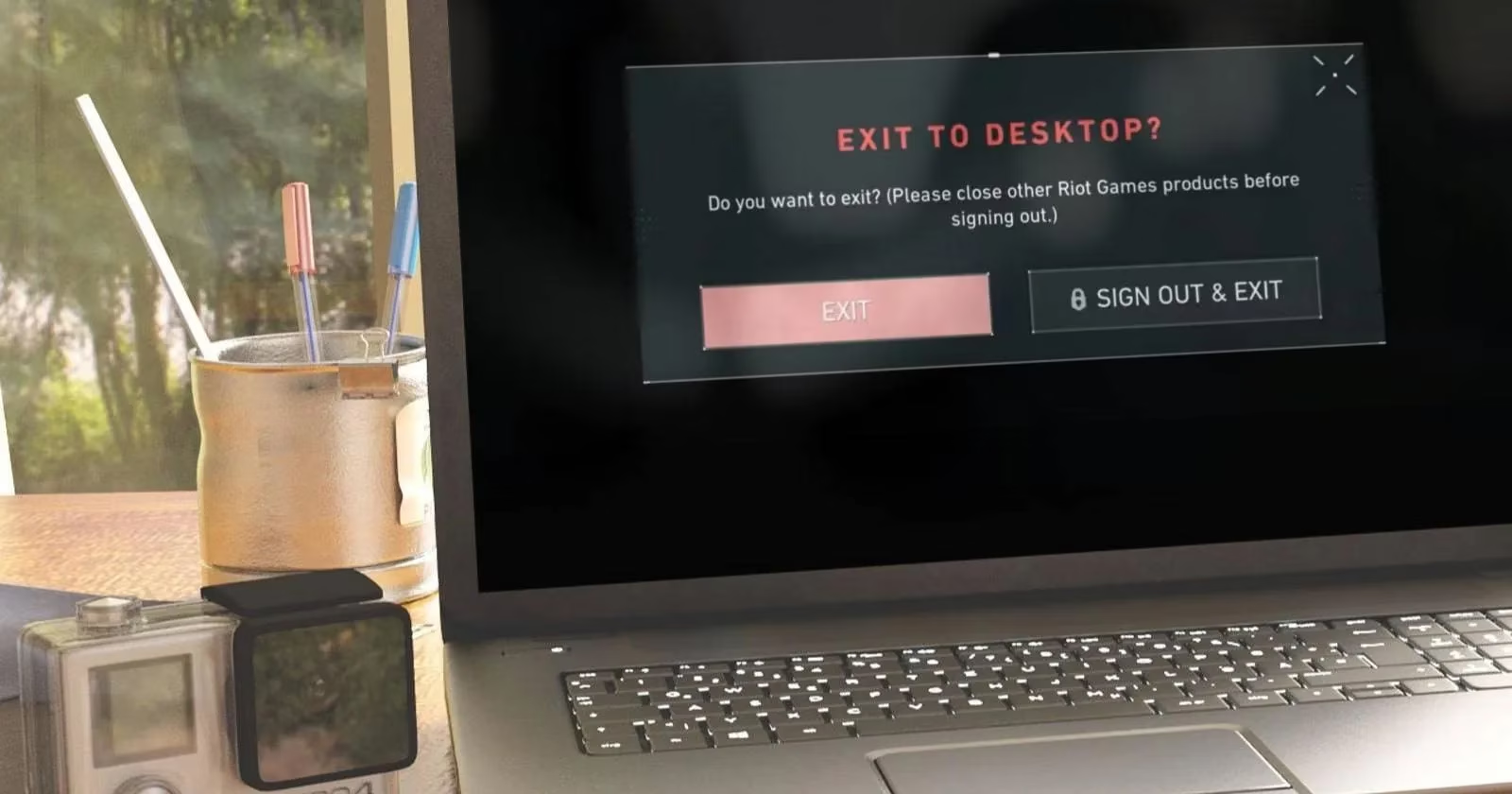
This error typically appears when you try to sign out of Valorant while the Riot Client and another Riot game are still running. But here’s the kicker: some users, including me, get it even when Valorant is the only Riot product open. Something in the background was being clingy, and I was determined to find out what.
First, I checked for sneaky Riot processes. Windows Task Manager is still the best place to do this in 2026. I right-clicked the Start button, opened Task Manager, typed “Riot” into the search bar, and hit Enter.
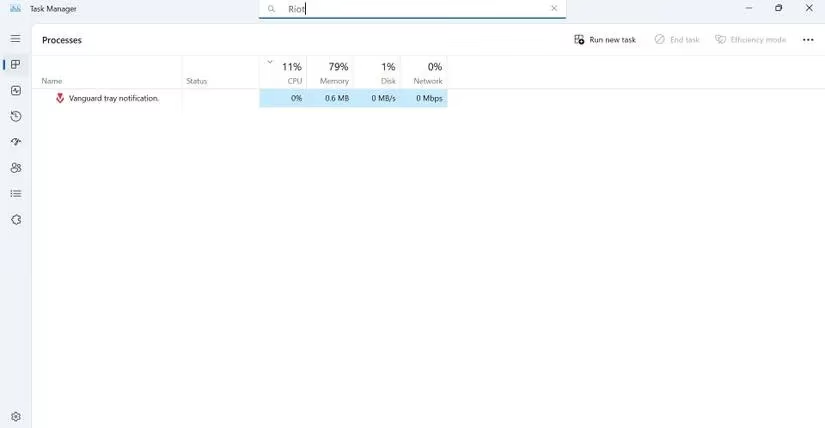
I also searched for keywords tied to other Riot games installed on my machine — just to see if some process was hiding in the shadows. When I found a Riot process that shouldn’t be there, I right-clicked it and selected End task.
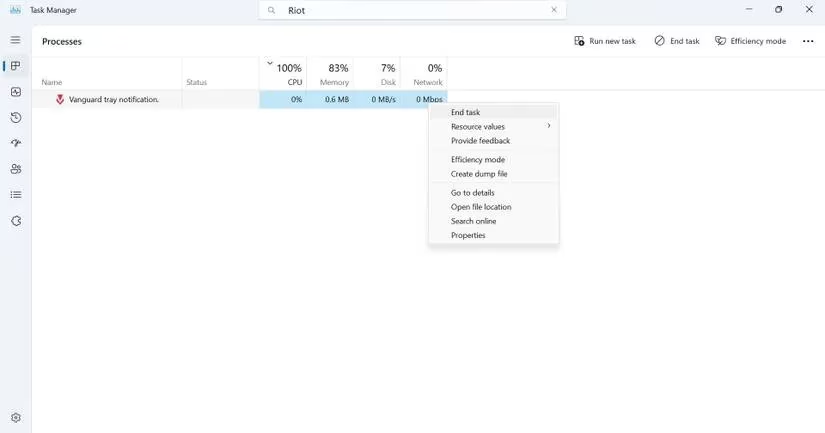
After killing those processes, I tried signing out again. No dice. The error was still there, looking at me like a smug final boss.
Since closing the other products wasn’t enough, I went after the Riot Client itself. I found the Riot Client shortcut, opened its Properties, and clicked Open File Location.
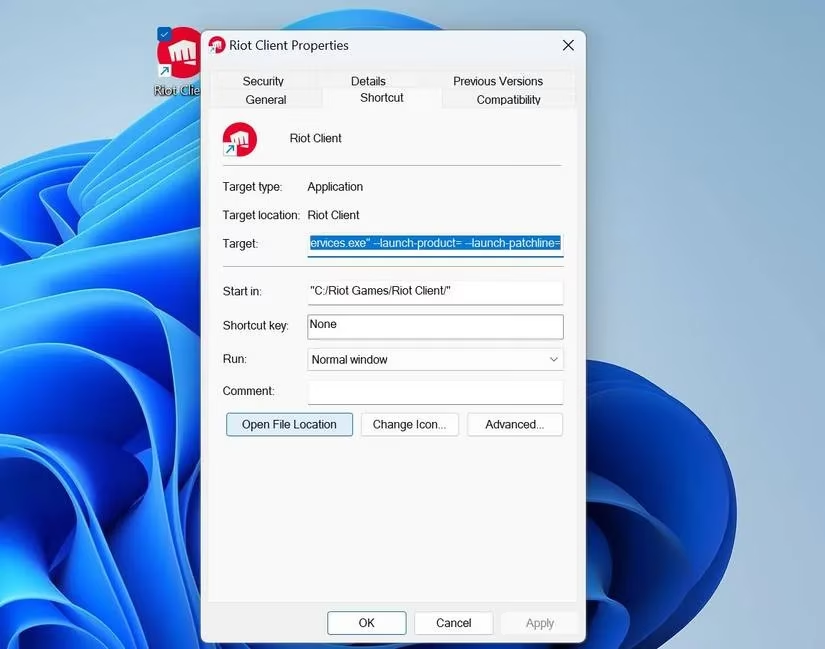
Then I navigated to the UX folder and opened the RiotClientUx application.
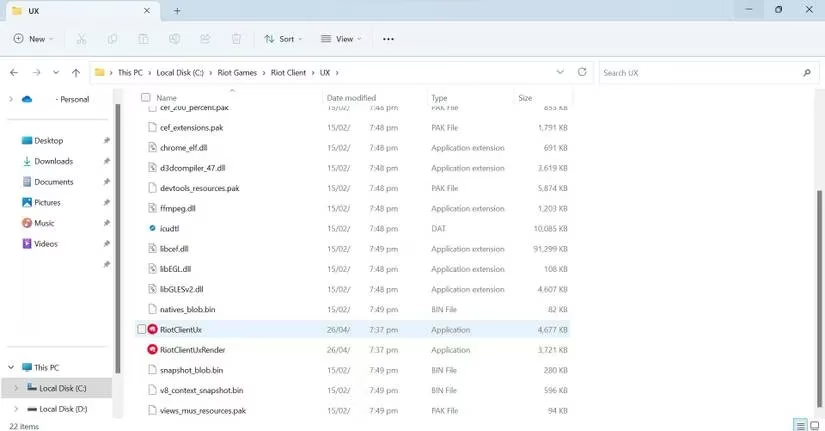
From there, I clicked my profile icon and signed out of the Riot Client. After that, I hopped back into Valorant and attempted to sign out again. It worked for some friends of mine, but my system still had other ideas.
The next suspect was outdated cached data and old saved logs. These little gremlins can build up over time, especially if you rarely clean your PC. I pressed Win + R, typed %localappdata%, and hit Enter. Then I opened the Riot Games folder and deleted the Riot Client and Valorant-related folders from there.
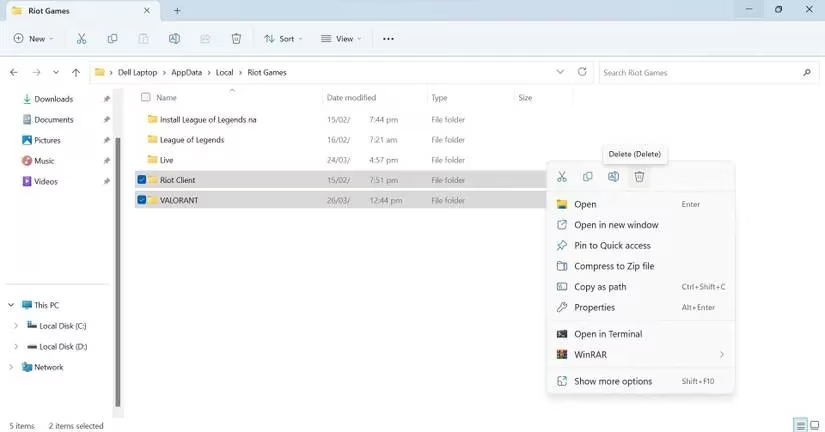
That cleanup felt satisfying, like clearing out a messy desk. But did it fix the error? Nope. At this point, I was ready to uninstall my entire life.
Then I remembered Riot Vanguard, the anti-cheat program that runs alongside most Riot Games products. It is supposed to stop hackers, but sometimes it acts like an overprotective bouncer and blocks you from simply leaving the club. Some players have fixed this exact sign-out error by uninstalling Vanguard and letting it reinstall itself.
I opened Control Panel, clicked Uninstall a program, and removed Riot Vanguard.
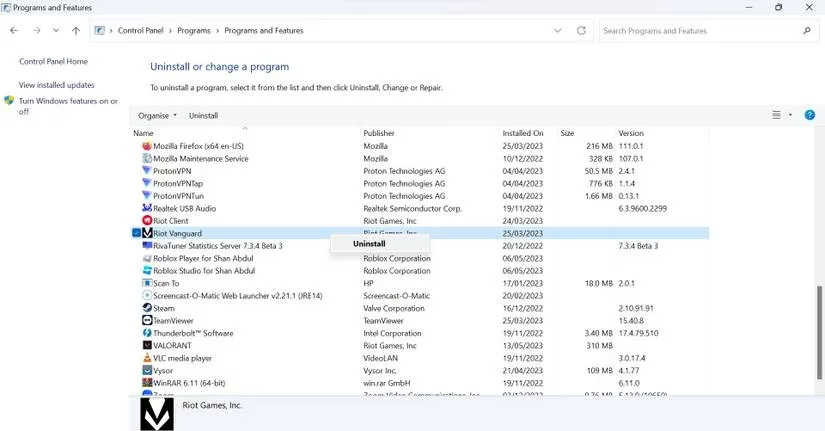
Then I ran Valorant again, and the Riot Vanguard was automatically reinstalled. And boom — the sign-out button finally woke up. I could sign out and close the game without any fuss.
Here is a quick summary of the fixes I tried:
| Order | Fix | Result for me |
|---|---|---|
| 1 | End background Riot processes in Task Manager | No luck |
| 2 | Sign out of Riot Client manually | Still stuck |
| 3 | Clear cached data and old logs | Still stuck |
| 4 | Reinstall Riot Vanguard | ✅ Fixed |
If you ever run into this error, my advice is to try these steps in order. Start with the simplest process cleanup, then move to the Riot Client sign-out, clear the caches, and finally reinstall Vanguard if needed. If none of that works, you can contact Valorant support — but hopefully you won’t have to.
In 2026, Valorant is still one of my favorite shooters, but it can be a little dramatic when it wants to be. At least now I know how to calm it down.