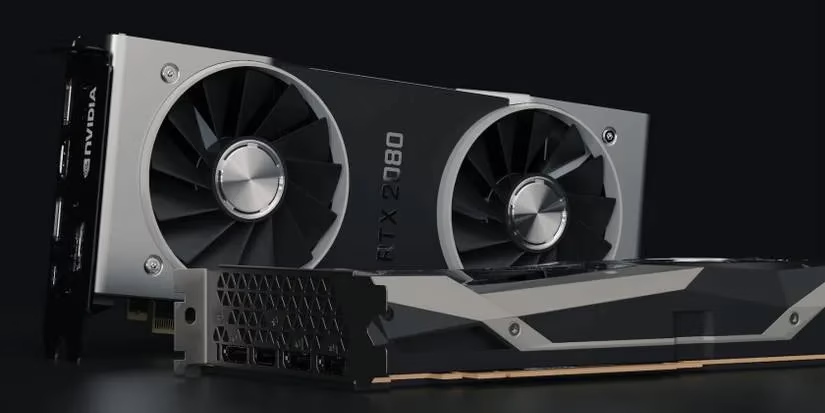
As 2026 marches on, graphics cards are no longer just components—they're colossal engineering marvels that barely fit inside your case. If you've ogled the latest RTX 5090 Ti or the beastly Radeon RX 9900 XTX, you know they aren't just bigger; they're heavier than a brick 🧱. And while a chunky GPU looks undeniably cool sitting in your rig, it comes with a hidden menace that PC builders whisper about in hushed tones: GPU sag.
It might sound like a minor cosmetic flaw, but leaving your card drooping like a sad puppy is like letting a ticking time bomb hang off your motherboard. So what exactly is GPU sag, why is it a genuine threat in 2026, and how can you fix it before your precious hardware becomes a pricey paperweight? Let’s dive in! 💻🔥
🤔 What Exactly Is GPU Sag?
Picture this: you're holding a heavy plank over the edge of a table by stepping on one end. A light plank stays flat, but if it’s thick and long, gravity pulls it down, and you feel the strain in your foot. That’s essentially GPU sag.
In technical terms, GPU sag (or GPU sagging) happens when a high-end graphics card is so heavy that the vertically mounted motherboard can’t support it rigidly. Instead of sitting perfectly perpendicular, the card bends downward, putting immense pressure on the PCI Express slot and the GPU’s own circuit board. While smaller cards use the case’s expansion slots for extra stability, today’s triple‑fan behemoths with massive metal coolers overwhelm those reinforcements.
Have you ever looked at your build and thought, “Hmm, is that graphics card leaning a bit?” If yes, you’ve already witnessed the early stages of GPU sag. And spoiler alert: it won’t fix itself.
⚠️ Why Should You Care? The Real Dangers of GPU Sag
Some might argue that modern PCI Express slots are “reinforced” and can handle the weight. True, many high‑end motherboards now come with steel‑armor slots and stronger solder joints. But even the toughest slot can succumb to constant stress—especially when flagship cards in 2026 easily exceed 2 kg. Here’s what is really at stake:
🔧 Damaged PCIe Slot
The slot can warp or crack over time. This leads to poor electrical contact, causing random crashes, black screens, or worse—your graphics card simply not being detected.
💔 GPU Circuit Board Microfractures
Constant bending stress on the PCB can create tiny cracks in the traces or weaken soldered connections. Initially, you might notice nothing, but after months of sagging, these microfractures can cause intermittent failures or a completely dead GPU.
🌡️ Cooler Misalignment
Sag can slightly separate the GPU cooler from the chip, reducing thermal conductivity. In plain English: your card runs hotter, fans ramp up, and eventually you hit thermal throttling—turning your £1000 beast into a stuttering mess.
💸 Total Hardware Loss
In the worst case, a snapped PCIe slot can short circuit the motherboard, and a bent PCB can ruin the GPU beyond repair. Imagine explaining that to your wallet.
Still think a little droop is harmless? Let’s fix it before your gaming sessions turn into a horror story 🎃.
🛠️ How to Stop GPU Sag in Its Tracks
Thankfully, the PC community has developed several effective ways to combat sag, from simple brackets to totally rethinking your build. Here are the top methods, ranked from easiest to most radical.
🥇 Method 1: The Support Bracket – Your GPU’s Best Friend
The most straightforward solution is a GPU support bracket. Think of it as a tiny crutch or a pillar that holds the hanging end of your graphics card level.
-
Many modern GPUs actually come with a bracket in the box (yes, manufacturers know their cards are heavy).
-
Some brackets attach to the PCIe slot mounts, others have a base that sits on the bottom of your case.
-
Installation is generally tool‑free and adjustable—you simply raise the support until the card sits perfectly horizontal.
If you bought a high‑end card in 2026, check your packaging: you might already own the solution. If not, aftermarket brackets cost very little and are worth every penny.
🥈 Method 2: Go Horizontal – The Case Swap Maneuver
What if you could completely eliminate the downward force? Enter horizontal PC cases. By installing your motherboard flat (like in many test‑bench or HTPC chassis), gravity no longer pulls the GPU in a harmful direction. The card simply rests on the PCIe slot horizontally, and the only forces are perfectly vertical on the slot—just as the engineers intended.
This is a more drastic change, but if you’re planning a new build or love the looks of a horizontal layout, GPU sag becomes a non‑issue. Bonus: your CPU cooler and airflow often work better too!
🥉 Method 3: Downsize Your Graphics Card
Sometimes the simplest fix is to choose a card that isn’t a two‑kilogram monster. While everyone wants flagship performance, mid‑range cards (think RTX 5060 Ti or Radeon RX 9800) still crush 1440p gaming and weigh far less. They rarely sag, especially if they come with dual‑fan coolers instead of triple‑fan giants.
This option is for those who value reliability over maximum frame rates—or for small form factor builders who simply can’t fit a bracket. Keep in mind that “downgrading” doesn’t mean playing on low settings; 2026 mid‑range GPUs are incredibly capable.
📝 Quick Comparison: Which Sag‑Fixing Method Suits You?
| Method | Cost | Effectiveness | Difficulty | Best For |
|---|---|---|---|---|
| Support Bracket | Low (often included) | ⭐⭐⭐⭐⭐ | Easy | Everyone with a vertical case |
| Horizontal Case | High (new case) | ⭐⭐⭐⭐⭐ | Moderate | New builds, enthusiasts |
| Smaller GPU | Net savings | ⭐⭐⭐⭐ | None | SFF lovers, budget‑conscious gamers |
🤯 FAQ: Burning Questions About GPU Sag
Q: My GPU looks fine now—will it sag later?
A: Possibly. Over months, thermal cycles and vibration can slowly loosen the card. Even if it’s straight today, check periodically. Prevention is better than a dead card.
Q: Can I use a DIY support? Like a LEGO pillar?
A: Absolutely! The community has used everything from figurines to 3D‑printed treats. As long as it’s non‑conductive and sturdy, go for it. Just make sure it doesn’t block airflow.
Q: Do I need a bracket if my motherboard has a “reinforced” slot?
A: Reinforcement helps, but it’s not magic. It mainly strengthens the slot’s physical housing, not the solder joints. A heavy card still transfers torque to the motherboard. Play it safe.
🎯 Final Thoughts: Don’t Let Gravity Win
GPU sag is one of those silent issues that can go unnoticed until it’s too late. In 2026, as cards continue to push the limits of size and power, neglecting sag is gambling with expensive hardware. The good news? Fixing it is almost always cheap, quick, and painless. Whether you pop on a bracket, rethink your case orientation, or choose a lighter card, you’re protecting the heart of your gaming rig.
So next time you admire your freshly built PC, ask yourself: is that graphics card smiling, or is it slowly dying? Take ten minutes, fix the sag, and enjoy years of flawless frames. Your wallet — and your fragging K/D ratio — will thank you. 🎮💪