
In the chaotic dance of modern computing, where a PC can go from humming smoothly to throwing a full-blown tantrum in seconds, diagnostic tools are the unsung heroes. They might not be as flashy as the latest game or app, but in 2025, with hardware getting fancier and software more demanding, having a solid toolkit is like carrying a digital Swiss Army knife. One minute, you're blissfully gaming; the next, your system's crawling like a snail on tranquilizers. That's when these tools swoop in, ready to dissect the drama without judgment. 😅
HWiNFO, for instance, is the overachiever of the bunch—so detailed it could probably tell you the exact number of electrons buzzing through your CPU. It's a professional-grade tool, rumored to be used by NASA, which makes it feel like you're piloting a spaceship rather than just checking specs. The Summary view is a gentle start, showing key bits like CPU clock speeds and memory size. But dive deeper, and you're hit with tabs galore, covering everything from motherboard slots to BIOS updates. It's overwhelming at first, like staring into a data abyss, but oh so satisfying when you finally spot that rogue setting causing slowdowns. One can't help but feel a bit like a tech detective, piecing together clues to keep the machine humming. For a visual, here's how the Summary view looks: 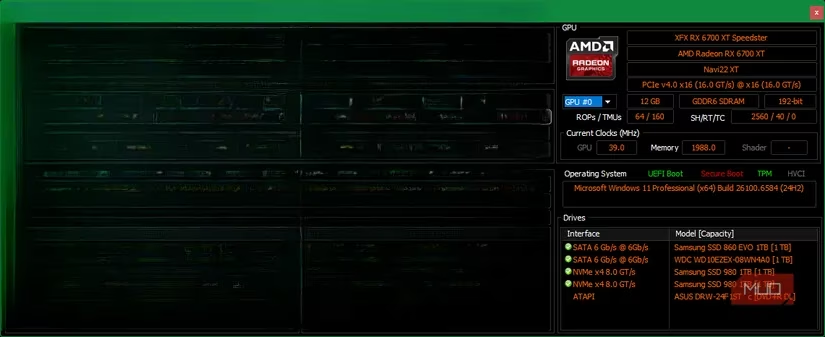 .
.
Now, the Sensors tab? That's where the real fun begins. It's a treasure trove of live stats—CPU usage, temperatures, network activity—all updating in real-time. Imagine keeping this open while gaming; watching those numbers spike feels like a heart monitor for your PC. Settings here let you customize it endlessly, like changing the tray icon to show your CPU temp. Personal take: It's addictive, almost like a fitness tracker for your rig. You start obsessing over temperatures, wondering if that fan whirring means love or impending doom. 🤯
Switching gears to storage, CrystalDiskInfo is the unsung guardian of your drives. In 2025, with SSDs aging faster than a banana in the sun, this tool gives peace of mind. It dishes out stats like health status and temperature, calculated from SMART data. Seeing that 'Good' rating feels like a pat on the back, but a dip to 'Caution' can send shivers down your spine. Raw values are in hex by default, which is gibberish to most; switching to decimal makes it human-readable. An interesting tidbit? The 'Unsafe Shutdowns' count—it's like a report card for your power habits. While drive makers have their own tools, having this all-in-one view is pure gold. Peek at the interface here: 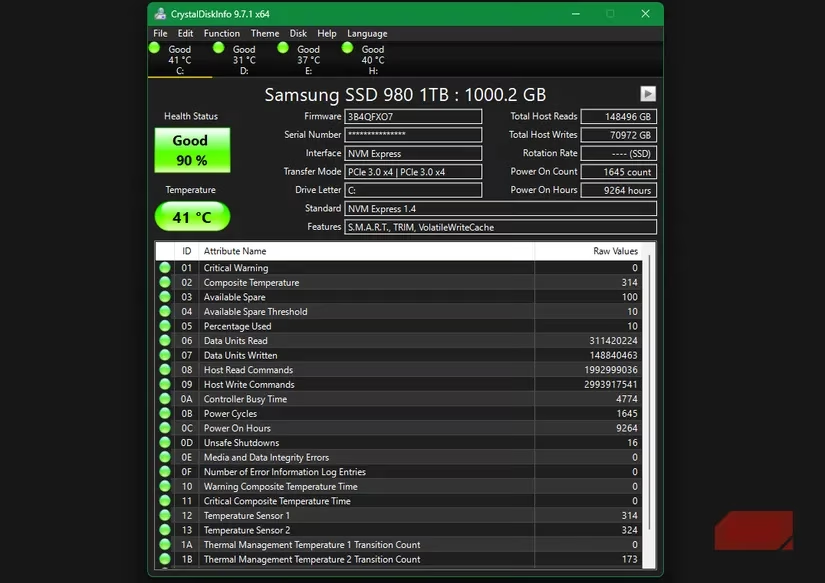 .
.
RAM issues? They're the gremlins of PC woes—silent, sneaky, and utterly frustrating. That's where Memtest86 comes in. Unlike basic Windows checks, this one's thorough, requiring a USB boot. It's a hassle, sure, but worth it for peace of mind. Picture this: You reboot, boot from the USB, and watch as it runs tests. If errors pop up, it's a red flag; if not, you breathe a sigh of relief. Subjective note: The process feels like a tech exorcism, banishing memory demons back to the abyss. See it in action: 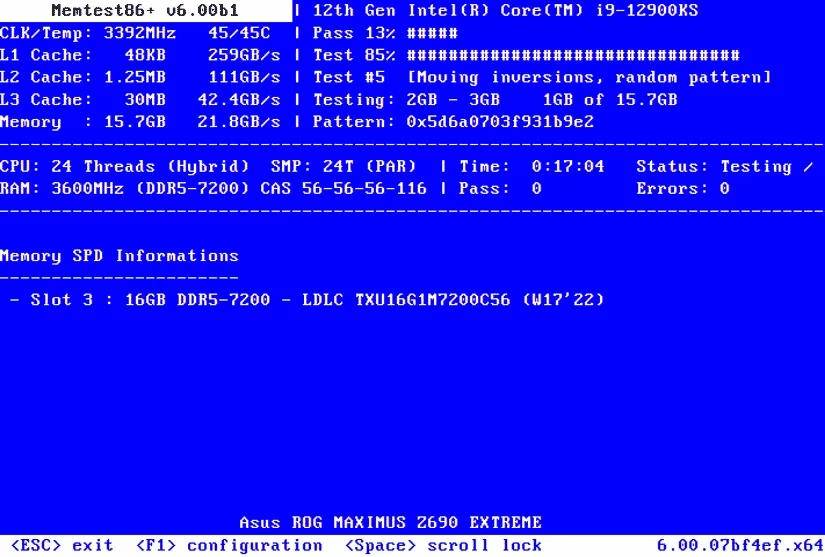 .
.
For disk space hogs, TreeSize is your visual savior. It's not strictly diagnostic, but in 2025, with files piling up like digital clutter, it's a lifesaver. It scans and maps out what's eating space—massive games, forgotten downloads, temp files—all in seconds. Using it feels like decluttering your closet; you spot the culprits and purge with glee. No more manual folder spelunking! Here's a glimpse: 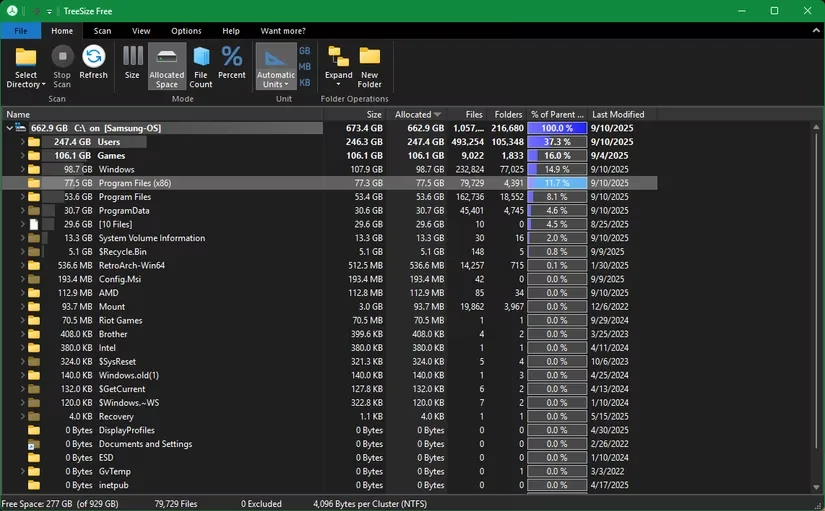 .
.
But don't overlook Windows' own arsenal. Tools like Performance Monitor, Disk Management, and Resource Monitor are built-in gems. Familiarizing yourself with them in normal times makes anomalies scream louder when trouble hits. It's like knowing your car's usual sounds—a new rattle stands out. Personal reflection: Relying solely on third-party apps feels cool, but blending them with Windows tools creates a balanced, robust defense.
So, what's the takeaway? These apps transform PC maintenance from a chore into an adventure. They empower you to spot trends, catch issues early, and maybe even geek out a little. But remember—every PC has its quirks. What works flawlessly for one might fumble for another. In the end, it's about building your toolkit, tweaking as you go, and embracing the quirks. After all, isn't that half the fun? 😉