
For a dedicated gamer in 2026, the choice between a desktop and a laptop is a foundational decision that shapes the entire gaming experience. While portability is an obvious factor, the core considerations delve much deeper into raw power, long-term viability, and the true cost of immersive gameplay. Both platforms offer pathways to enjoy the latest titles, but they cater to fundamentally different gaming lifestyles and performance expectations. The decision hinges on whether ultimate graphical fidelity, frame rates, and upgradeability are paramount, or if the freedom to game anywhere holds greater value.

The Unavoidable Truth: Performance Gap 💻 vs. 🖥️
At first glance, component branding can be deceiving. A laptop sporting an "Intel Core Ultra 9" or an "AMD Ryzen 9" processor and an "Nvidia RTX 5090" GPU appears identical on paper to its desktop counterpart. However, this shared nomenclature is primarily for market segmentation and does not signify equal capability. Desktop components, unconstrained by size, power, and thermal limits, are inherently more powerful. They house more transistors, run at higher clock speeds, and benefit from superior, larger cooling solutions. This performance chasm is most pronounced in the GPU sector; a desktop RTX 5090 will consistently deliver significantly higher frame rates and visual fidelity in demanding 2026 titles compared to its mobile version, even at the same resolution.
-
Desktop Advantage: Unmatched raw power for 4K/8K gaming, high refresh rates (144Hz+), and maximum ray tracing settings.
-
Laptop Reality: Compromises on sustained performance to fit into a portable form factor. Thermal throttling can be a real concern during extended gaming sessions.
This doesn't mean modern gaming laptops are weak. Far from it. High-end models are more than capable of handling AAA titles at high settings and smooth frame rates, especially at 1080p or 1440p resolutions. They are legitimate gaming machines. But for the gamer who demands the absolute pinnacle of performance—the highest possible settings in the most graphically intensive simulations or competitive esports titles where every frame counts—a desktop remains the undisputed champion.
The Long Game: Upgradeability and Future-Proofing 🛠️
A critical, often overlooked factor for gamers is the ability to upgrade. This is where desktops shine with near-limitless potential. Gamers can start with a solid foundation and incrementally swap out the GPU, add more RAM, or upgrade storage as needs evolve and new, more demanding games release. The key is selecting a capable motherboard. For maximum future flexibility, an ATX or EATX motherboard is recommended, as it offers the most expansion slots and room for larger components. Micro-ATX and mini-ITX builds, while compact, sacrifice this ease of upgrade.
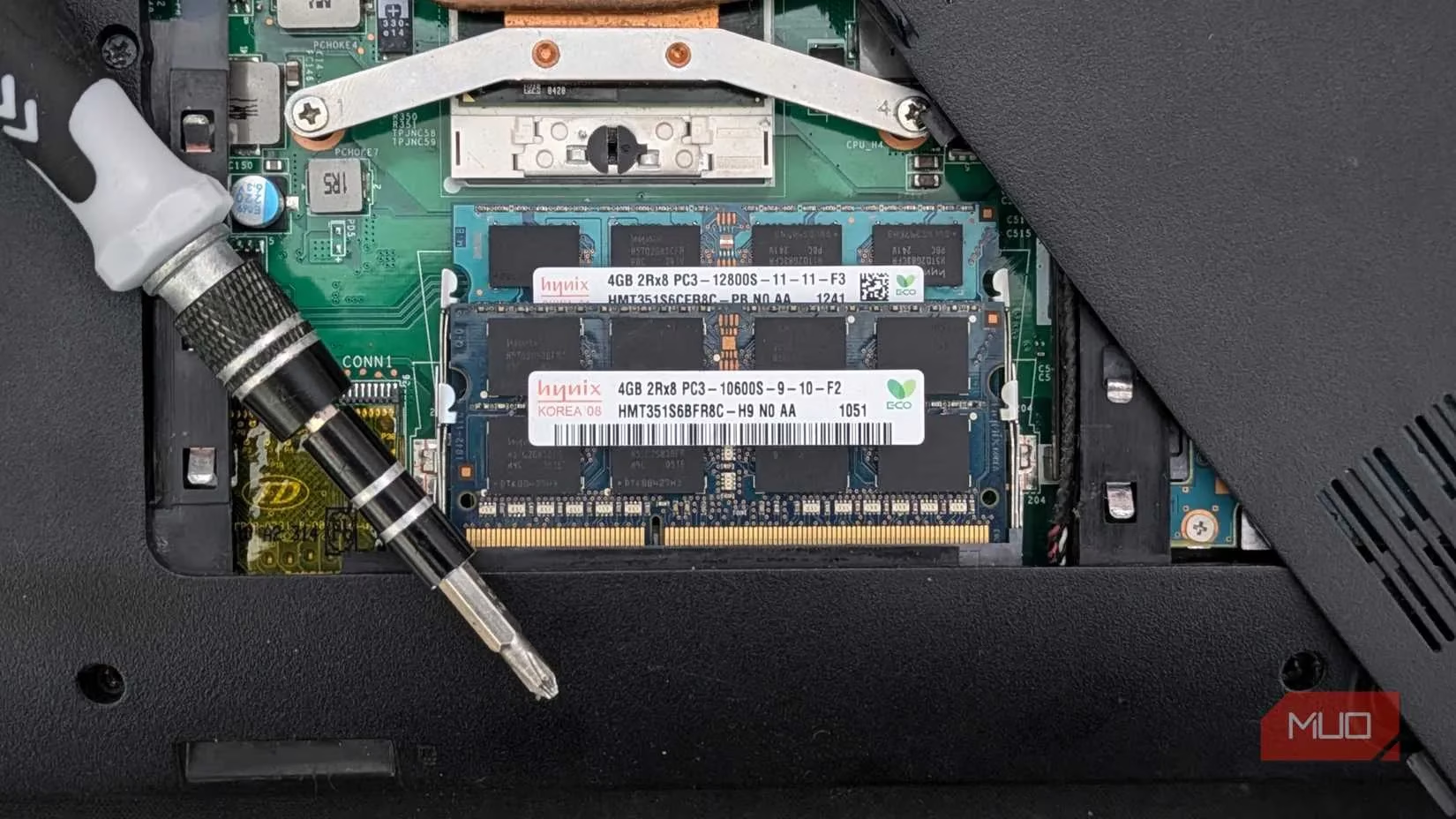
The landscape for laptops is markedly different and requires careful research. The trend toward thinner, lighter designs has led to an increase in systems with soldered RAM and non-standard SSDs, making upgrades impossible or prohibitively difficult. This is particularly common in ultraportables and many Apple Silicon MacBooks. Most dedicated gaming laptops do offer some upgrade paths, typically allowing for RAM and SSD swaps, but the GPU and CPU are almost always permanently integrated. Therefore, if choosing a laptop, it is crucial to:
-
Verify upgradeability before purchase. Check manufacturer specifications for socketed vs. soldered components.
-
Consider buying a higher-specced model from the start if upgrade options are limited, effectively "future-proofing" at the point of sale.
The True Total Cost: More Than Just the Tower 💸
Initial price comparisons can be misleading. While a desktop PC often offers better performance per dollar for the core system unit, the total cost of ownership includes essential peripherals that a laptop bundles into its design.
| Expense Category | Desktop PC | Gaming Laptop |
|---|---|---|
| Core System | Often cheaper for equivalent specs | Includes screen, keyboard, trackpad, speakers, webcam |
| Essential Add-ons | Monitor, keyboard, mouse, speakers/headset required | Optional for enhanced experience |
| Port Expansion | Built-in; plentiful on most cases/motherboards | Often requires a docking station or hub |
| Ergonomics | Highly customizable with stands, arms, etc. | May require a laptop stand & external peripherals for comfort |
A gamer building a desktop must budget for a quality high-refresh-rate monitor, a mechanical keyboard, a precision gaming mouse, and audio peripherals. These can add hundreds to the final cost. Laptop users can game immediately with the built-in hardware. However, many serious laptop gamers still invest in external monitors, keyboards, and mice for a better experience, blurring the cost line. Furthermore, laptop users frequently need to purchase docking stations or high-speed hubs to overcome the limited port selection on modern slim designs, adding another expense.
Gaming in Comfort: Ergonomics and Ports 🎮
Extended gaming sessions demand a comfortable setup to avoid fatigue and injury. Desktops excel here by design. An adjustable monitor placed at eye level, a keyboard and mouse positioned for neutral wrist posture, and a supportive chair create an ideal ergonomic station. Laptops, with their fixed screen-keyboard relationship, often promote poor posture—hunching over to see the screen or raising arms to type.

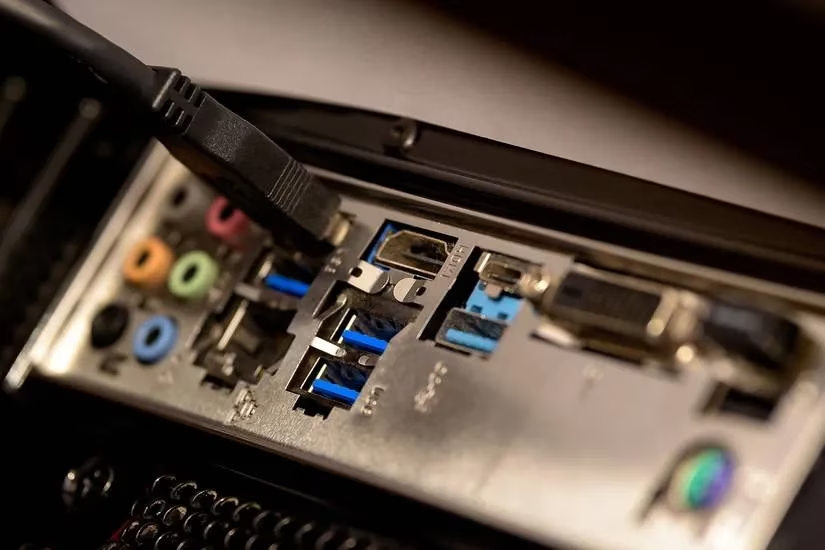
This can be mitigated by using the laptop in "clamshell" mode as a desktop replacement, connecting it to an external monitor, keyboard, and mouse. But this, of course, negates its portability and adds to the peripheral cost. Port availability is a related pain point. Modern laptops may only offer two USB-C ports and an HDMI out. Connecting a mouse, keyboard, external drive, and headset simultaneously often requires a hub. Desktops, with their spacious cases, typically provide a wide array of USB ports (Type-A and Type-C), multiple display outputs, and audio jacks, easily accommodating a full suite of gaming gear, VR headsets, racing wheels, and stream decks without dongles.
The 2026 Verdict: Which Gamer Are You? ✅
Ultimately, the choice crystallizes around your primary gaming persona:
-
Choose a Desktop PC if: You are a performance purist who values the highest possible frame rates and visual settings. You are a tinkerer who enjoys building and upgrading your system over time. You have a dedicated space for a permanent gaming station and prioritize ergonomics for marathon sessions. Your budget allows for the initial investment in both the tower and quality peripherals.
-
Choose a Gaming Laptop if: Portability is non-negotiable. You game in multiple locations—at a desk, on the couch, or while traveling. You have limited space and need an all-in-one solution. You prefer a simpler, out-of-the-box experience without assembling components. You are willing to accept a performance compromise (though a minor one on high-end models) for the freedom to game anywhere.
For the 2026 gamer, both paths are valid. Desktops deliver uncompromising power and longevity, while modern gaming laptops offer astonishing performance in a portable package. By honestly assessing your needs for performance, upgradeability, total budget, ergonomics, and lifestyle, you can confidently select the platform that will be your gateway to virtual worlds for years to come.