
In the year 2026, the relationship between humans and their malfunctioning computers remains a timeless drama of frustration and hope. While we were promised flying cars, what we got were smarter chatbots that can, at the very least, pretend to understand why your PC sounds like a jet engine during a Zoom call. Since its explosive debut, ChatGPT has evolved from a party trick into a first-line digital medic for countless users facing the blue screen of despair. This seemingly omniscient AI doesn't just write poetry; it can also guide you through the harrowing journey of PC troubleshooting, acting less like a precise surgeon and more like a well-meaning, if slightly scatterbrained, librarian who has read every manual ever written.
🤖 ChatGPT: The Digital Swiss Army Knife for PC Woes
Gone are the days of endlessly trawling through archaic forum posts from 2008. ChatGPT, especially its widely accessible versions, has become the go-to for consolidating repair information. Think of it not as a mechanic with greasy hands, but as a hyper-enthusiastic tour guide through the labyrinth of your computer's issues. Its strength lies in casting a wide net—presenting a consolidated, concise list of potential fixes that would take a human hours to compile from various sources.
For instance, when faced with the classic "My PC won't start" panic, ChatGPT doesn't hesitate. It launches into a sensible, ordered checklist:
-
Check the power connections (Is it plugged in? A classic).
-
Verify the power outlet.
-
Inspect the power supply unit.
-
Listen for beep codes or check indicator lights.
-
Try a different power cable.
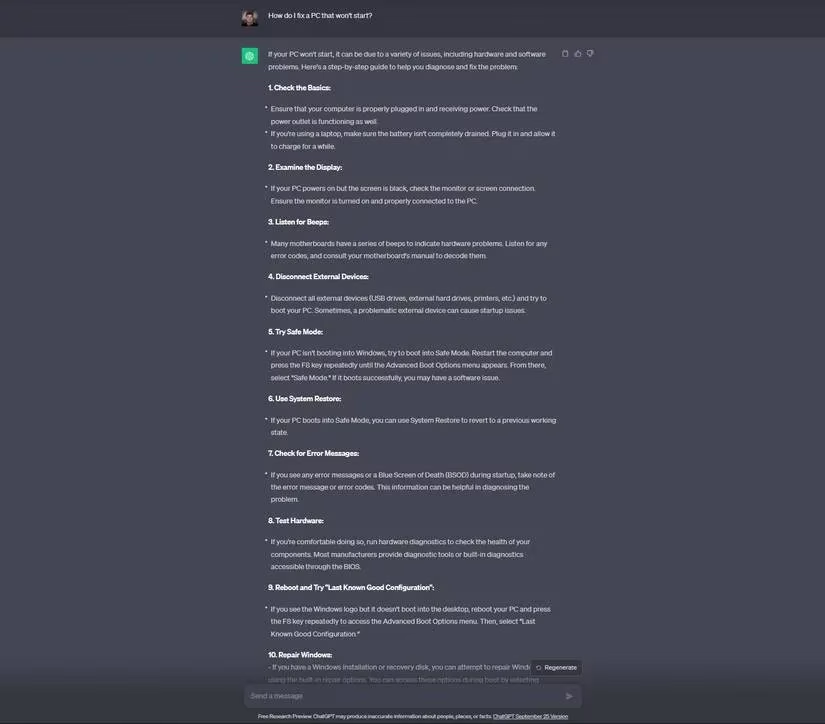
Often, the solution is as simple as the first suggestion—a flipped power switch—making ChatGPT look like a genius. However, this is akin to a weather vane correctly predicting wind direction; it's helpful, but don't ask it about humidity.
🐌 Taming the Sluggish Beast: Speeding Up an Aging PC
A slow PC in 2026 is like a sloth trying to win a Formula 1 race—endearingly tragic but ultimately frustrating. When queried about reviving an old machine, ChatGPT provides a comprehensive, if sometimes overzealous, action plan:
| ChatGPT's Suggestions | Practical Reality Check |
|---|---|
| Clean up disk space 🗑️ | Solid advice. Delete those 500GB of cat memes from 2023. |
| Disable startup programs ⏸️ | Very good. Your PC doesn't need 12 chat apps launching at boot. |
| Run antivirus scans 🛡️ | Always prudent. |
| Upgrade hardware (RAM/SSD) 💾 | The nuclear option, but often the most effective. |
| Reinstall the operating system 🔄 | ChatGPT's favorite hammer, seeing every problem as a nail. Often unnecessary. |
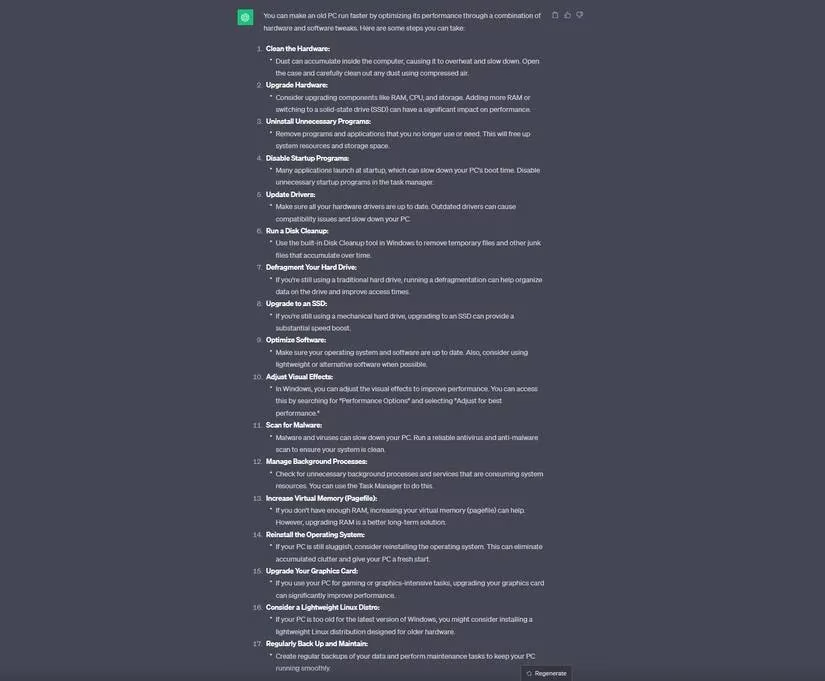
The AI's tendency to suggest a full OS reinstall reveals its logic: a clean slate solves many compounding software issues. Yet, this is like suggesting demolition because a room is messy. The previous steps in its own list usually make such drastic action avoidable. This highlights a key point: using ChatGPT requires you to be a filter, not just a sponge.
💙 Navigating the Blue Abyss: BSOD Troubleshooting
The Blue Screen of Death (BSOD) remains the grand opera of PC failures—dramatic, sudden, and often inscrutable. Asking ChatGPT for help here is like consulting an oracle; the answers are broad but can point you in the right direction.
-
Without an error code: ChatGPT will provide a general troubleshooting liturgy: update drivers, check for overheating, run memory diagnostics, and... you guessed it, consider a system restore or reinstall.
-
With an error code (e.g., 0xC0000218): This is where specificity helps. ChatGPT can correctly identify it as a registry hive file error.
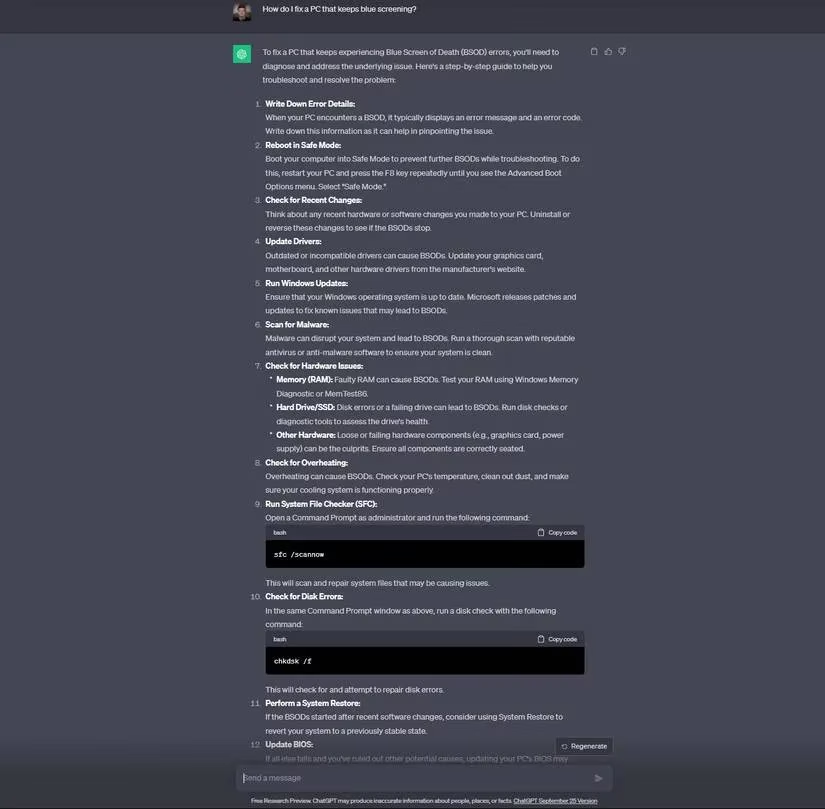
However, its prescribed steps—using installation media for repair—remain standard. It lacks the nuanced, often hacky detail a human expert on a forum might provide, like which specific registry file might be corrupted and how to manually replace it from a backup. Relying solely on ChatGPT for a BSOD fix is like using a satellite map to find a lost earring in your backyard; it shows the terrain, but you'll still need to get on your hands and knees.
🧠 Masterclass: How to Talk to Your AI Mechanic
To truly harness ChatGPT as a PC repair sidekick in 2026, you must learn its language. Treat it as a brilliant but literal-minded assistant.
-
Be Concise & Specific: Don't say "My computer is bad." Say, "My Windows 11 laptop, Model XYZ, makes a grinding noise on startup and then fails to boot, showing error code 0x0A."
-
Iterate and Refine: If the first answer is too generic, ask follow-ups. "For the grinding noise suggestion #3, what are the exact steps to securely reseat a SATA hard drive?"
-
Practice Healthy Skepticism: Never execute a major command (like a registry edit or
format C:) based solely on AI advice. Cross-reference with trusted tech sites or forums. ChatGPT is your brainstorming partner, not your final authority. -
Use It for Diagnosis, Not Just Repair: Ask it to explain what a specific error code means or what could cause a certain symptom. This understanding empowers you to search for better solutions elsewhere.
🔮 The Future of AI-Powered Troubleshooting
As of 2026, ChatGPT and its successors have become more integrated with system diagnostics. Imagine a future where you can grant it read-only access to system logs, and it can provide a tailored analysis. For now, it remains a powerful, if imperfect, tool. It's the difference between having a friendly neighbor who knows a bit about everything and hiring a licensed electrician. One can suggest checking the circuit breaker, the other will rewire your house.
In conclusion, ChatGPT is less a fix-it wizard and more a phenomenal aggregator and translator of technical knowledge. It democratizes the first steps of PC repair, turning panic into a structured checklist. Just remember, while it can hand you the toolbox and the manual, you're still the one who has to turn the screws. And maybe, just maybe, check if the thing is plugged in first.